Accountly, mobile app

Simplifying finance tracking for freelancers and small businesses

Simplifying finance tracking for freelancers and small businesses

Designing a Level 1 App (MVP)

Designing a Level 1 App (MVP)

Status: Design & Tech Development
The Background

Accountly is an innovative accounting software designed aiming towards small businesses, freelancers and contractors. Their end goal is to create an app that offers tools for income and expense tracking, tax management, and financial insights. They have a skeleton and idea of a mobile app, but needed help with simplifying the complexities of bookkeeping and accounting through an intuitive user interface.

The Brief

I was tasked with designing the first stage app focused on the core functionalities of recording income and expenses for now.

Team

1 UI/UX Designer, 1 Software Developer

Tools

Figma

The Problem

The Problem

How might we reduce visual clutter to help users quickly identify key financial data without being overwhelmed by too much information at once?

How might we reduce visual clutter to help users quickly identify key financial data without being overwhelmed by too much information at once?

Jump to final design

Jump to final design

The Process

The Process

Discover

Discover

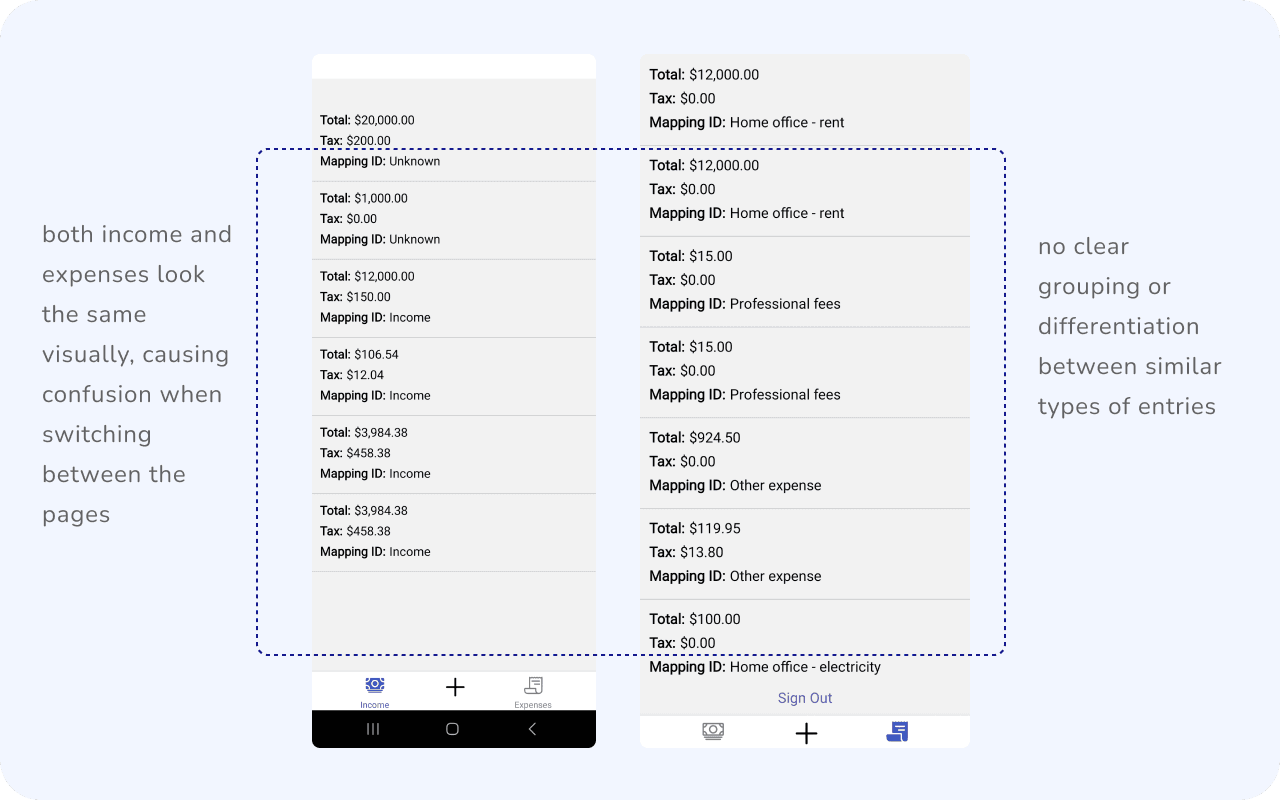
Looking through the skeleton to get an idea of the app core functions, and how I could improve on them:
Cluttered Interface

Cluttered Interface

Users are presented with a dense list of transactions (income and expenses), making it difficult to quickly identify key information such as totals and taxes.

Users are presented with a dense list of transactions (income and expenses), making it difficult to quickly identify key information such as totals and taxes.

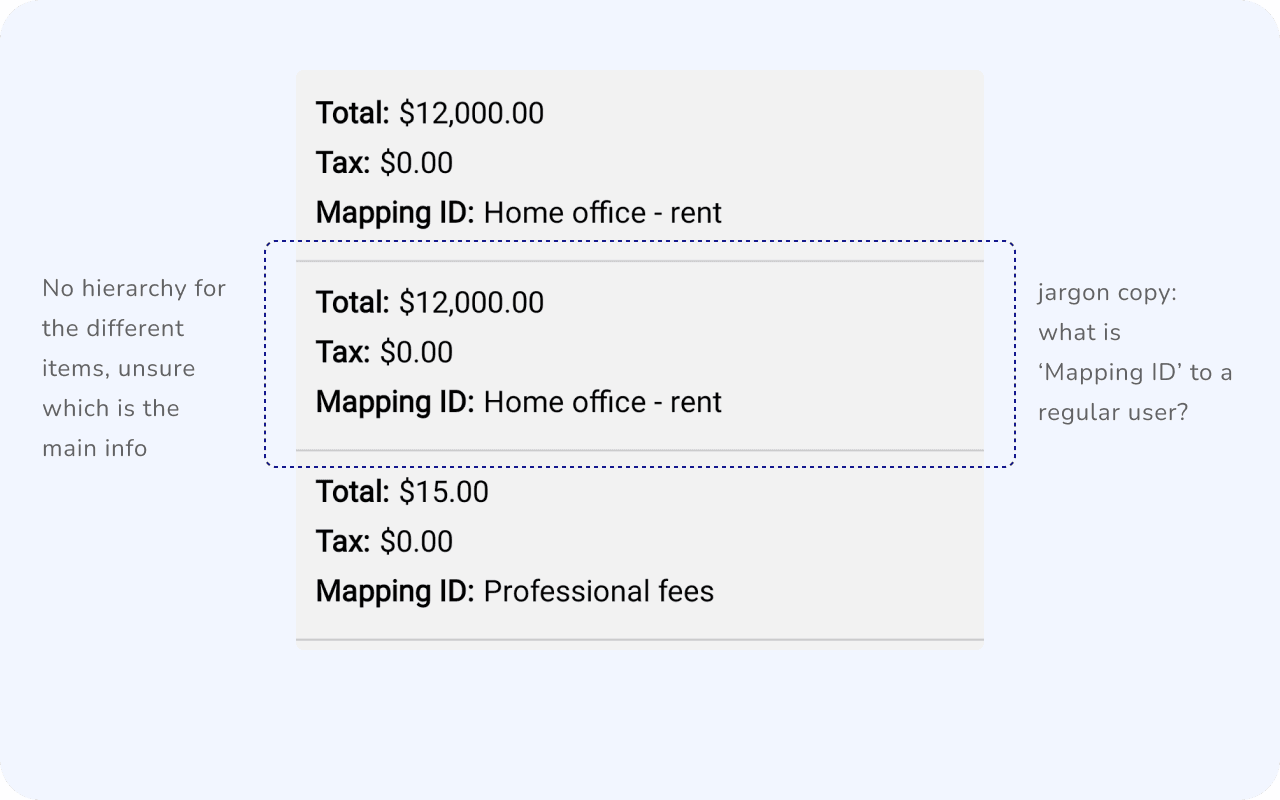
Inconsistent Visual Hierarchy

Inconsistent Visual Hierarchy

Lacks a clear structure that helps guide users' attention to the most critical data, such as Mapping IDs, taxes, and totals.

Lacks a clear structure that helps guide users' attention to the most critical data, such as Mapping IDs, taxes, and totals.

Unclear CTA copies

Unclear CTA copies

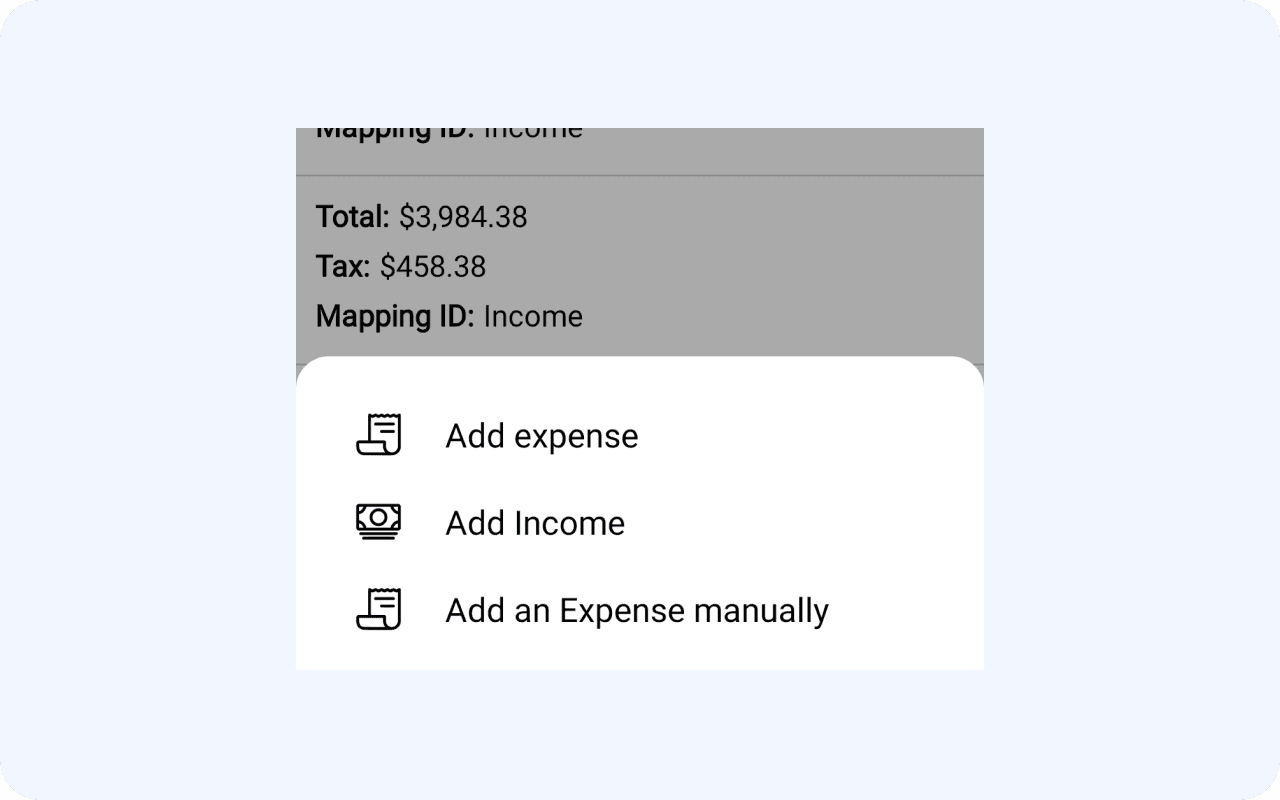
How is ‘Add expense’ different from ‘Add an Expense manually’? The special feature of the app is not clear - take pic of document and extracting its information.

How is ‘Add expense’ different from ‘Add an Expense manually’? The special feature of the app is not clear - take pic of document and extracting its information.

How Are Others Solving This?

How Are Others Solving This?

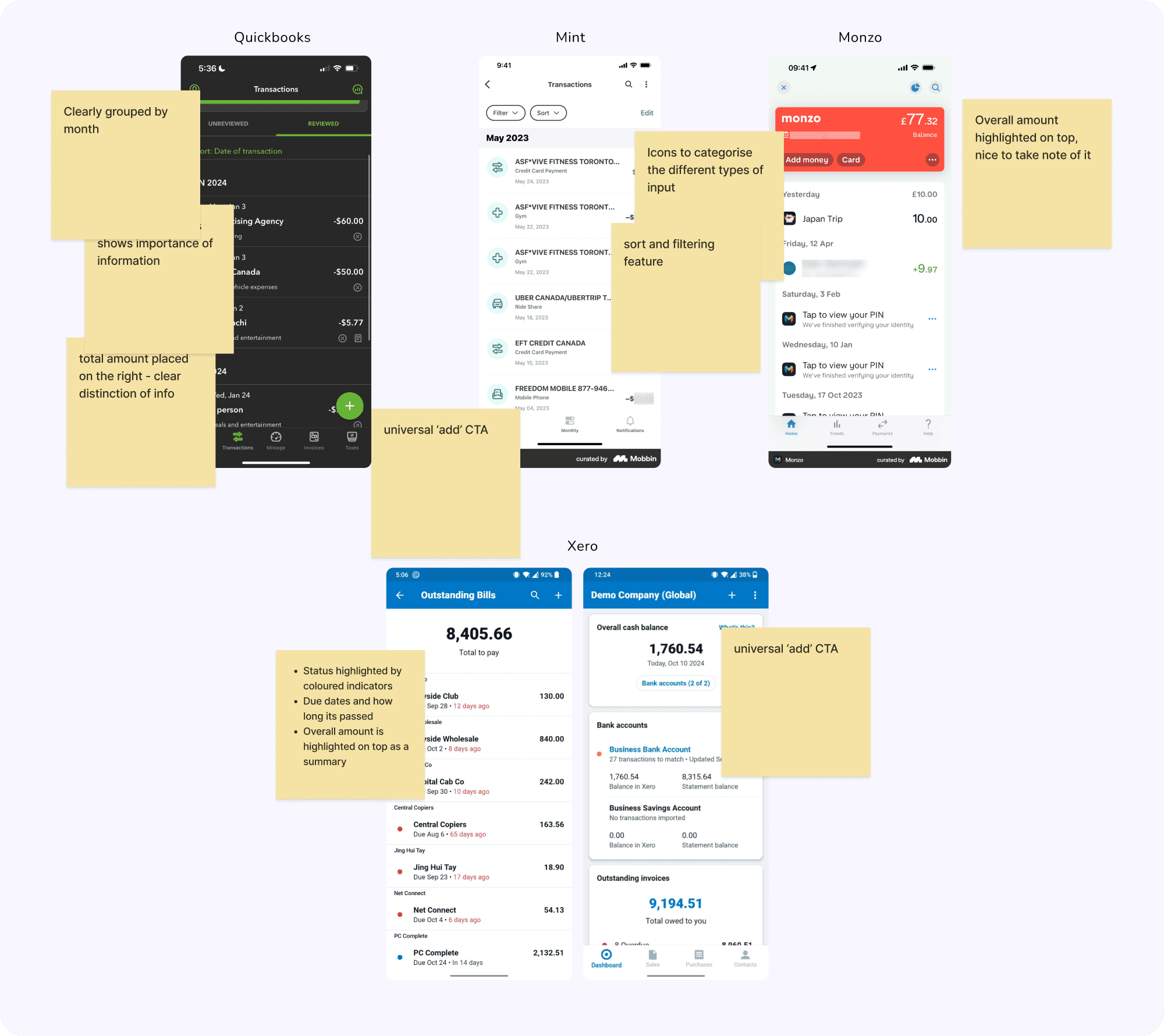
I started looking into other similar apps:
Design Goals

Design Goals

Simplified User Interface

Streamline the design to reduce visual clutter and make it easier for users to find the information they need at a glance.

Enhanced Visual Hierarchy

Redesign the layout to prioritise key financial data, such as total balance, individual transaction details, and status

Modernized

Aesthetic

Update the overall design to align with modern mobile app design trends, ensuring it feels more user-friendly and visually appealing.

Iterations Upon Iterations

Iterations Upon Iterations

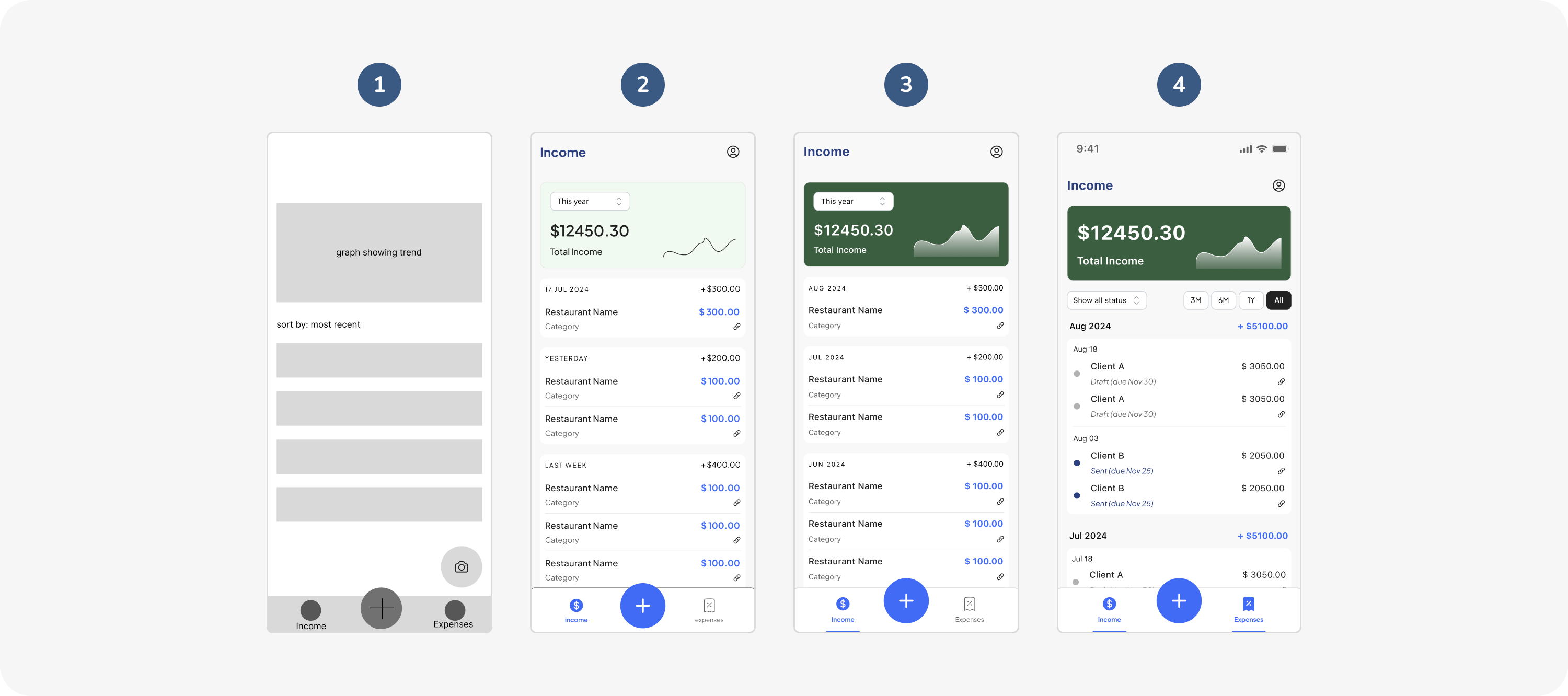
I created wireframes/mockups to explore different layout and information display options, with reviews in between between me and the client:
1

focused on the overall layout, played around with a floating ‘camera’ CTA for users to quickly capture documents.

focused on the overall layout, played around with a floating ‘camera’ CTA for users to quickly capture documents.

2

‘+’ as the main CTA to avoid confusion, played around with grouping by dates, font colour and size. Overall graph and amount to show the trend.

‘+’ as the main CTA to avoid confusion, played around with grouping by dates, font colour and size. Overall graph and amount to show the trend.

3

Bottom nav revised so that the current page is more highlighted. Feedback given that the information is still not clearly grouped.

Bottom nav revised so that the current page is more highlighted. Feedback given that the information is still not clearly grouped.

4

Introduced ‘status’ indicators with various colours. The groups are now labelled with the month, making it clearer.

Introduced ‘status’ indicators with various colours. The groups are now labelled with the month, making it clearer.

1

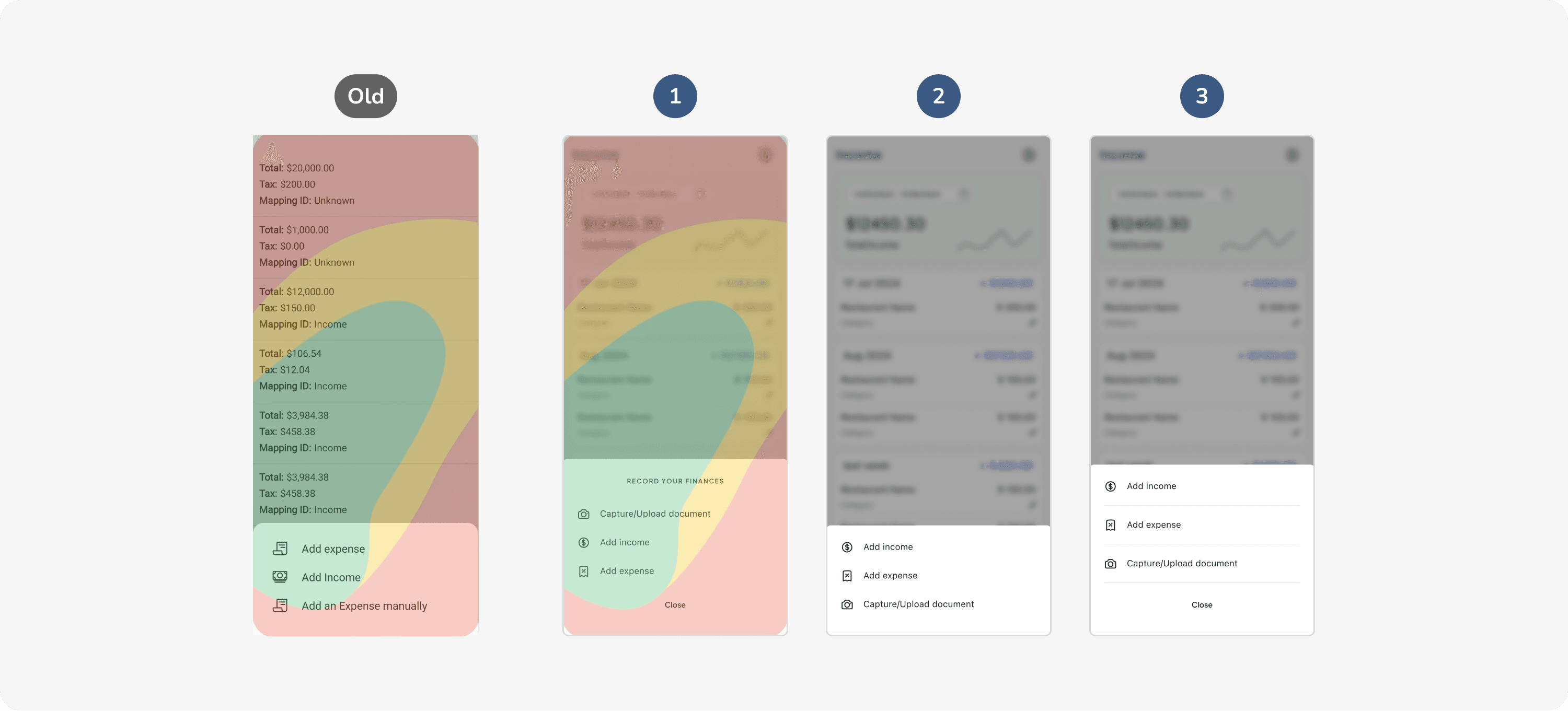
Added more bottom padding to accommodate to a more comfortable thumb zone for the main actions.


Thumb zone source: medium article

Added more bottom padding to accommodate to a more comfortable thumb zone for the main actions.


Thumb zone source: medium article

2

Feedback was given to simplify and remove the title and ‘close’ CTA as they were deemed unnecessary, and to have the ‘capture’ CTA at the bottom for easier reach.

Feedback was given to simplify and remove the title and ‘close’ CTA as they were deemed unnecessary, and to have the ‘capture’ CTA at the bottom for easier reach.

3

As a compromise, I proposed to have the ‘close’ CTA there still as its easier for users to open and close the sheet action in the same area. The divider between the actions allows the tap area to be wider respectively.

As a compromise, I proposed to have the ‘close’ CTA there still as its easier for users to open and close the sheet action in the same area. The divider between the actions allows the tap area to be wider respectively.

Final Designs

Final Designs

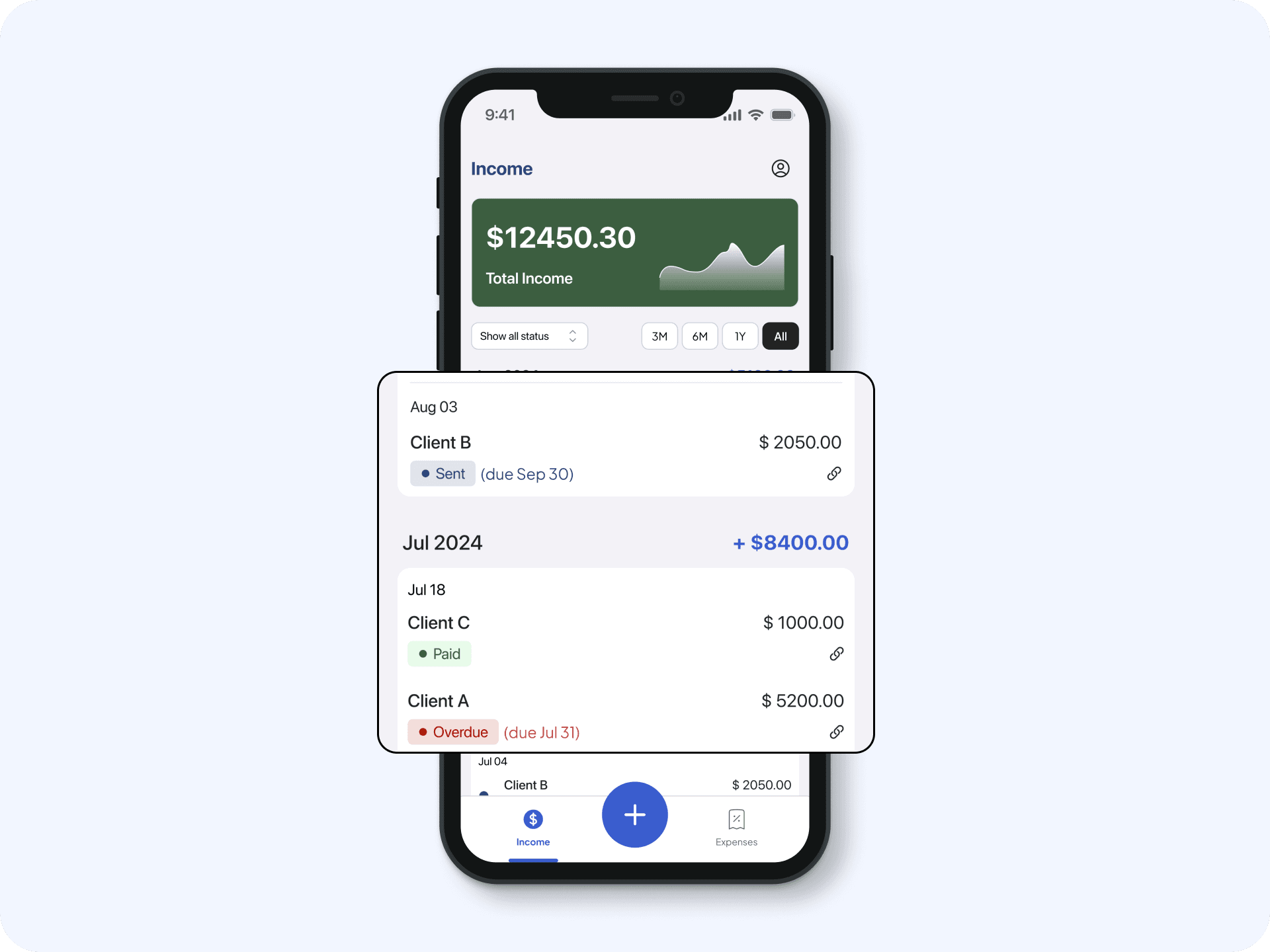
Categorised, and Clear

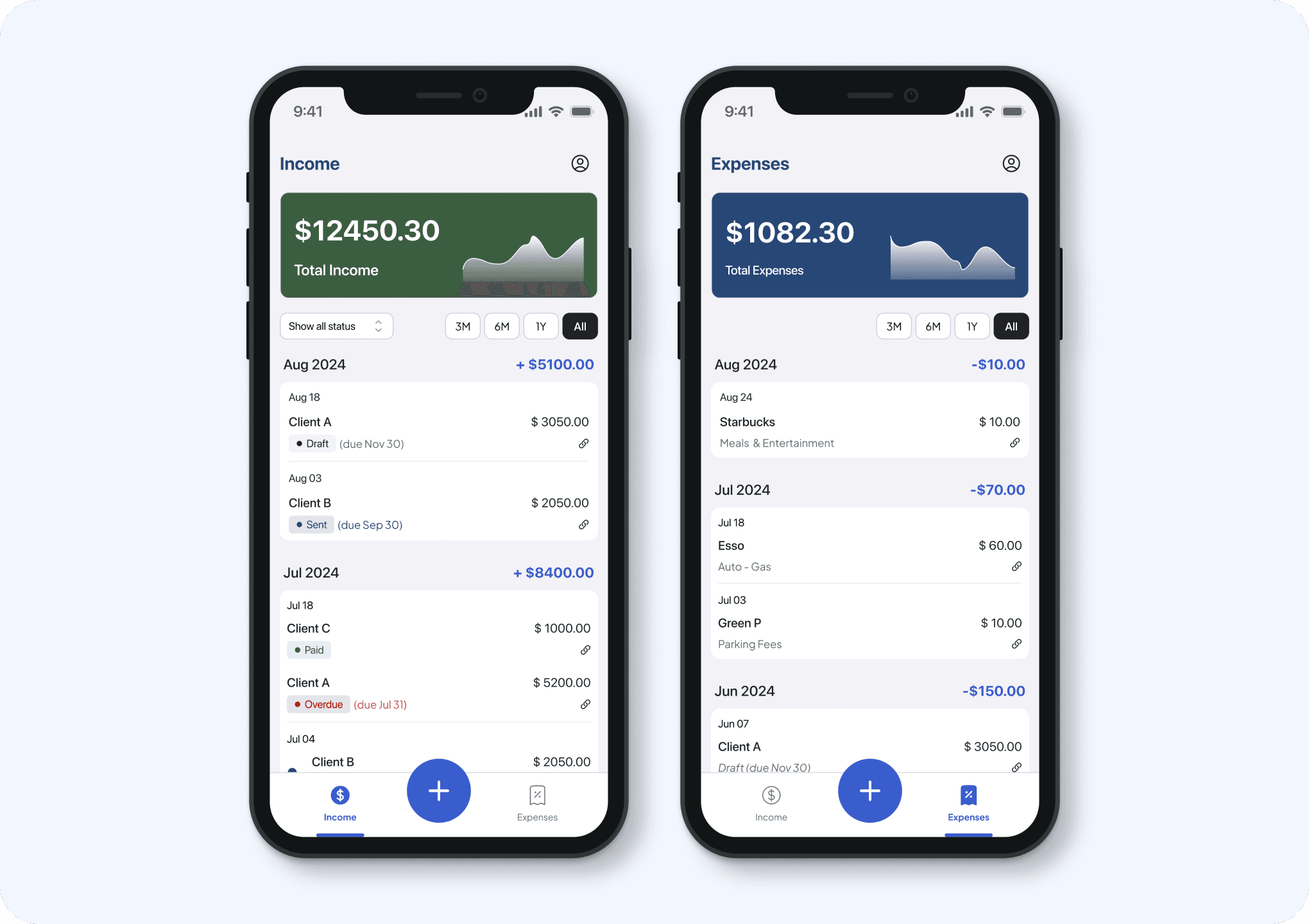
The addition of the summary and clear title on top gives and immediate visual cue as to which pages users are currently.

Visual Indicators

In addition to grouping by month, status indicators differentiated by colours gives an instant visual cues for users, and could quickly scan through the different repetitive information.
The Next Step:

The Next Step:

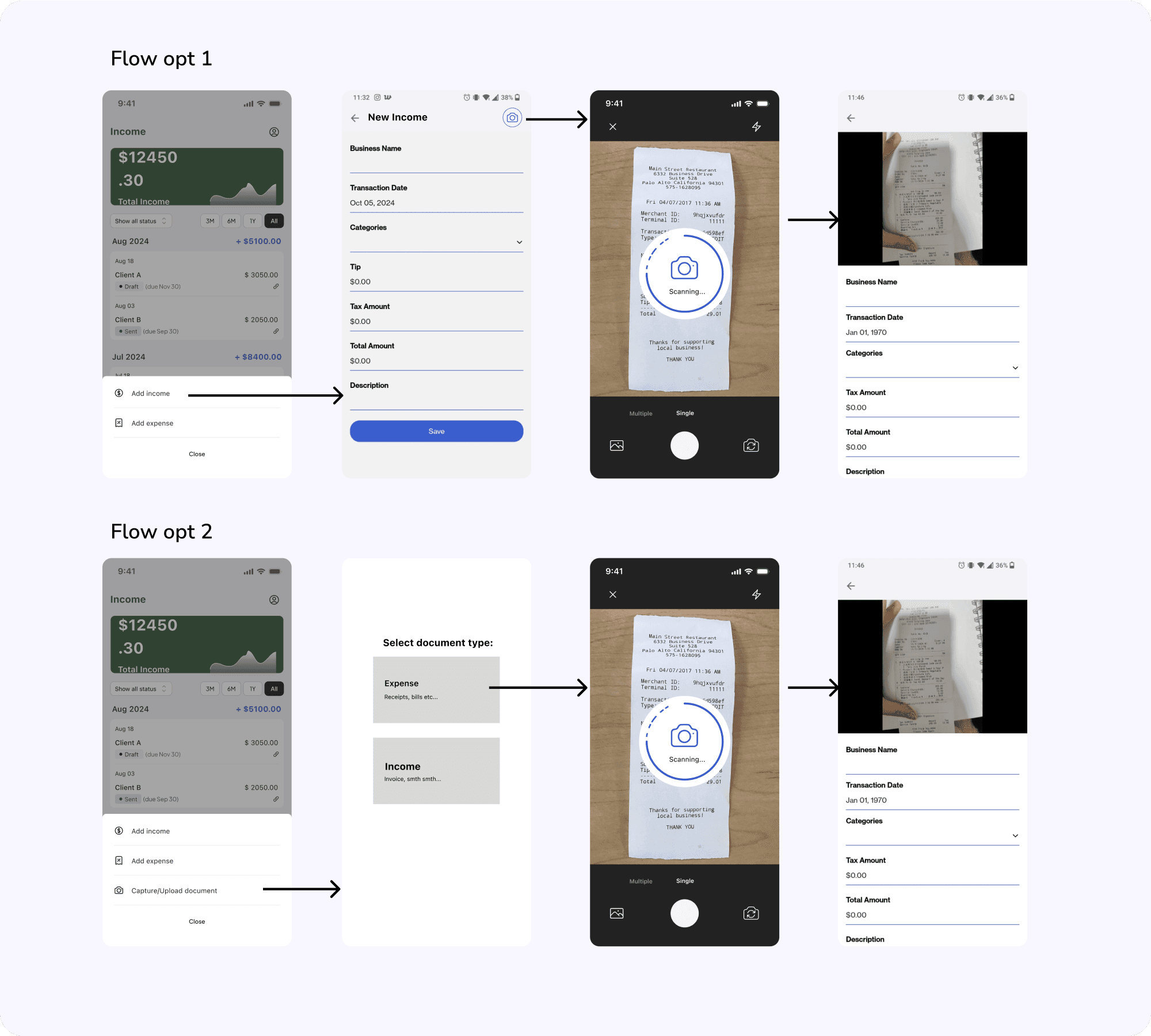
To look into refining the capture document to save information flow and interface and addition of new features such as creating reports, invoicing, profile etc.:

To look into refining the capture document to save information flow and interface and addition of new features such as creating reports, invoicing, profile etc.:

Made with tea and tears.

©2024 Portfolio by Tay Jing Hui

Made with tea and tears.

©2024 Portfolio by Tay Jing Hui

Create a free website with Framer, the website builder loved by startups, designers and agencies.