Hiredly, app
Hiredly, app

Enhancing the jobseeker’s application rate by 40%!

Enhancing the jobseeker’s application rate by 40%!

Mobile App Revamp

Mobile App Revamp

Status: Launched

The Build-up

The Build-up

Imagine you’re Ashley.

Ashley recently graduated, she’s motivated & determined to put those years of learning to use. But before doing all that, Ashley is taking a break and enjoying his ‘fun-employment’ while she can.


Until one day...

Imagine you’re Ashley.

Ashley recently graduated, she’s motivated & determined to put those years of learning to use. But before doing all that, Ashley is taking a break and enjoying his ‘fun-employment’ while she can.


Until one day...

‘Ashley ah, you everyday so free, nothing to do ah?’

- Ashley’s Mum 2024
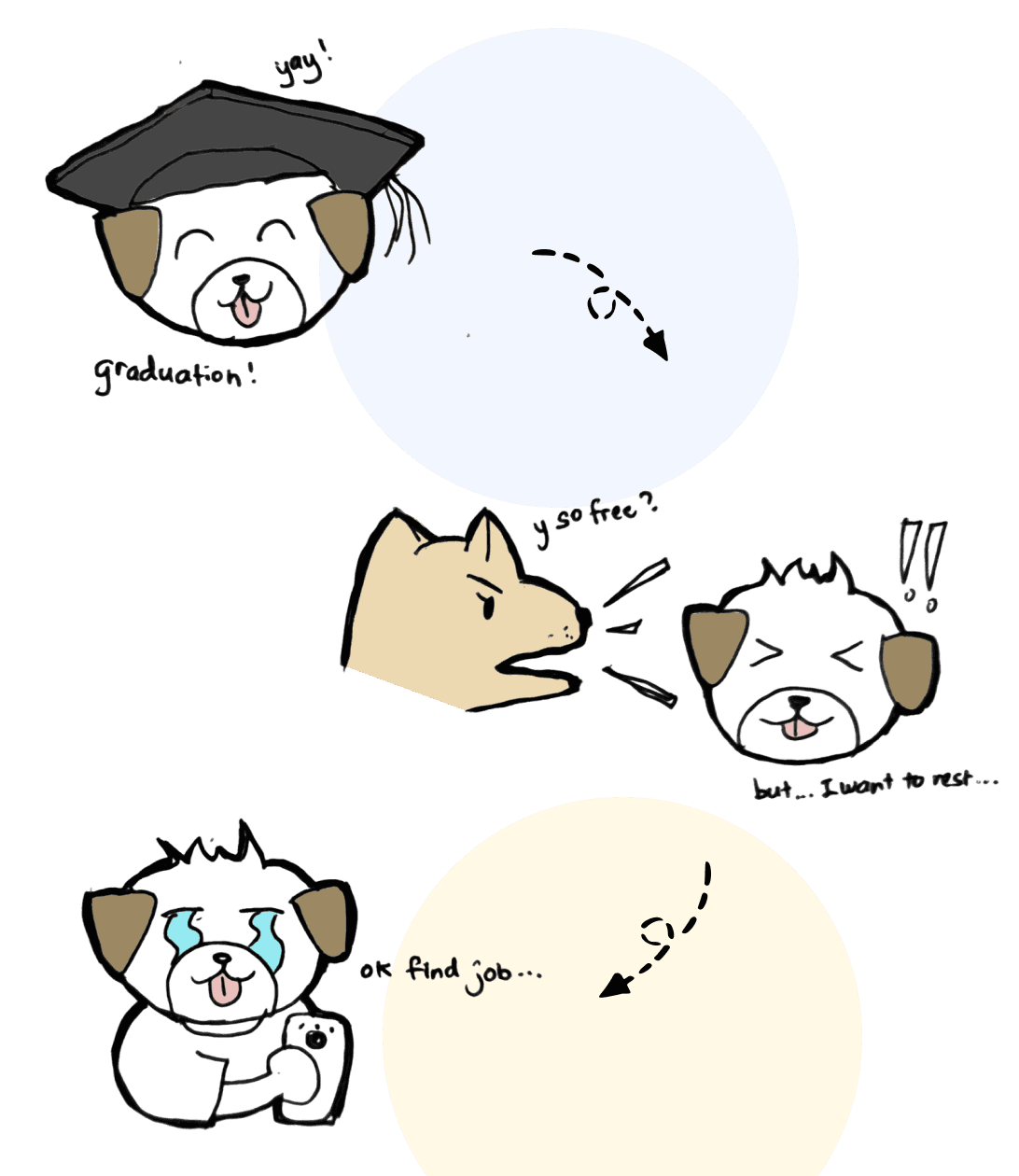
With new motivation (and definitely not pressured) Ashley started looking into entry-level jobs before Mum could say ‘Back in my day...’ and so, she installed many job hunting apps, including Hiredly.

With new motivation (and definitely not pressured) Ashley started looking into entry-level jobs before Mum could say ‘Back in my day...’ and so, she installed many job hunting apps, including Hiredly.

Ashley’s journey through Hiredly:

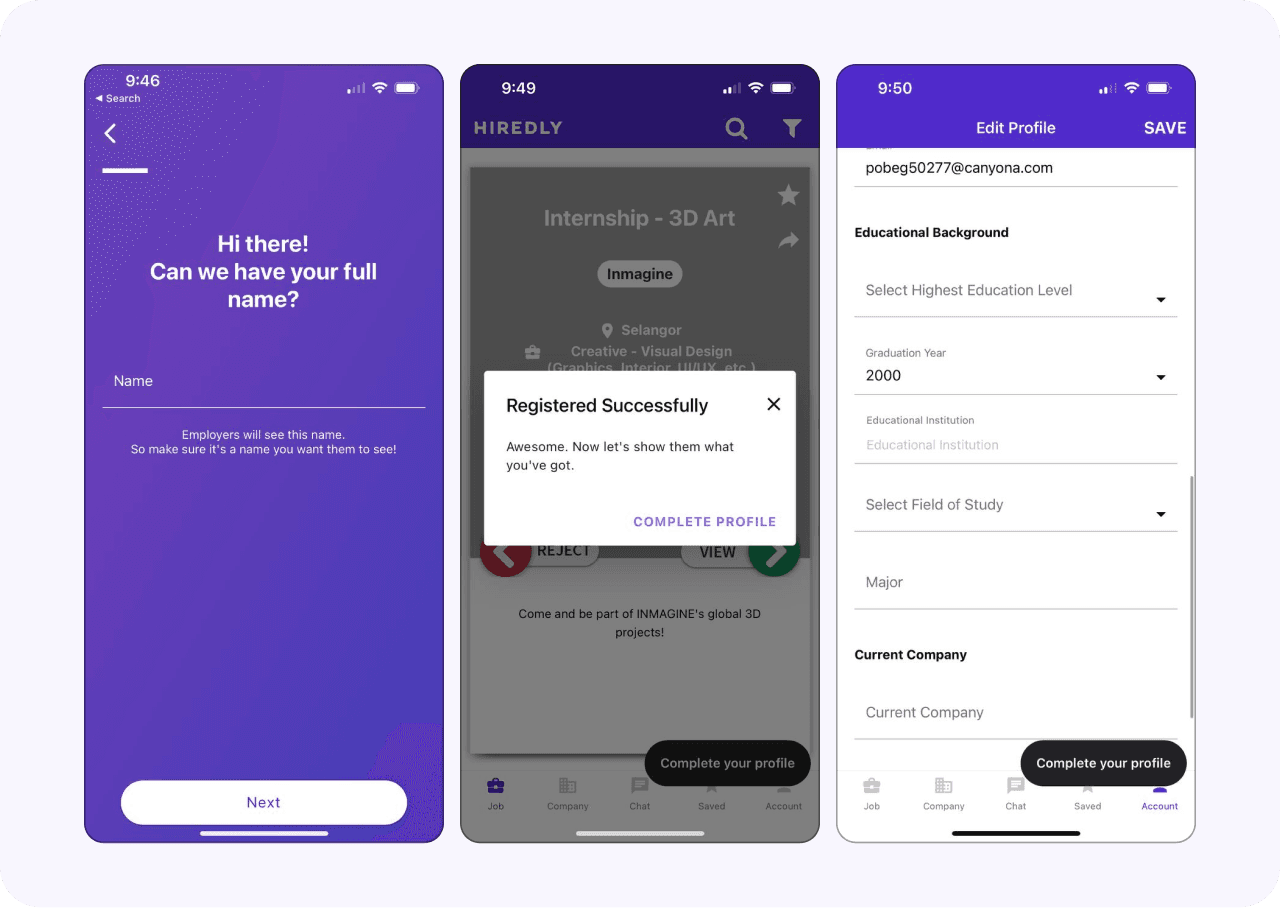
Going through the old Hiredly app

Going through the old Hiredly app

Sign up > Complete profile

The onboarding and following profile was short and straightforward to go through, but the limited fields required in the profile left Ashley confused, is that all she needed to start applying to jobs?

The onboarding and following profile was short and straightforward to go through, but the limited fields required in the profile left Ashley confused, is that all she needed to start applying to jobs?

Searching for jobs

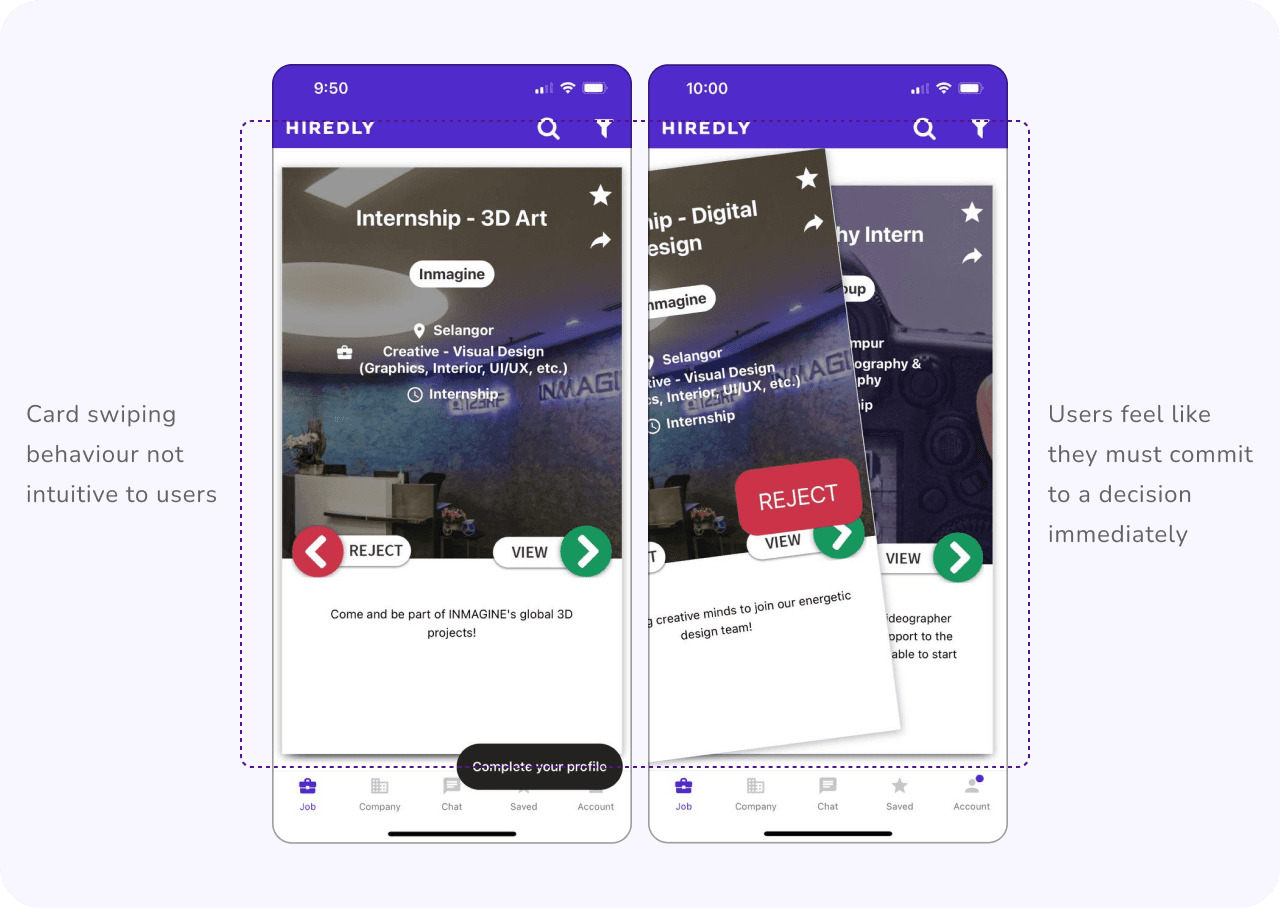
There was no homepage that is usually common within mobile apps, instead its straight to view jobs. Ashley is once again confused with the unusual jobs page with a behaviour similar to Tinder. What happens when Ashley swipes to reject? Will she ever see it again? Ashley isn’t ready to commit to that!

Response from User Survey 2022:

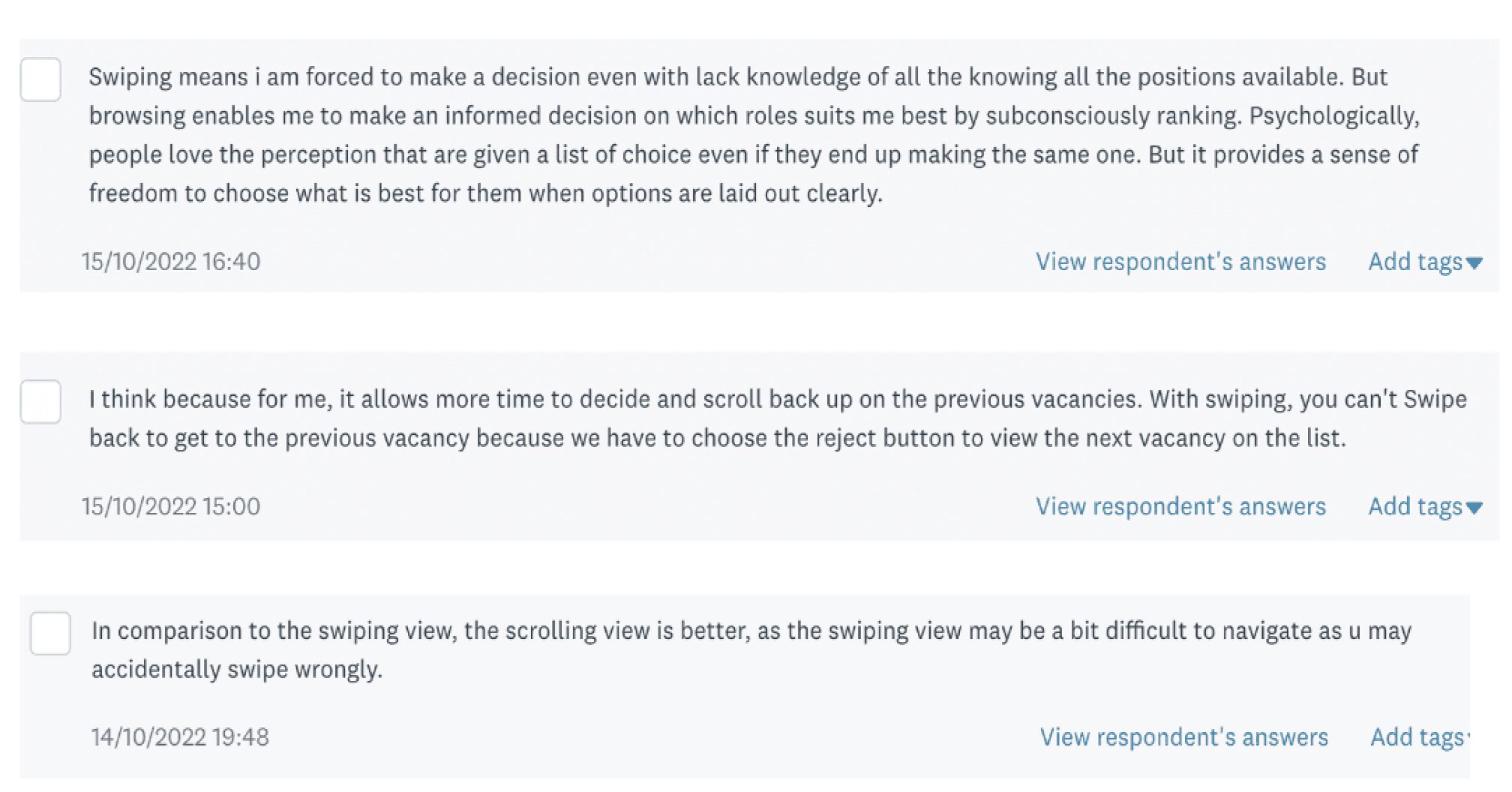
“Some jobs I don’t mean to reject, just need some time to consider, and may want to have a second look at after looking at other opportunities”
Job and company details

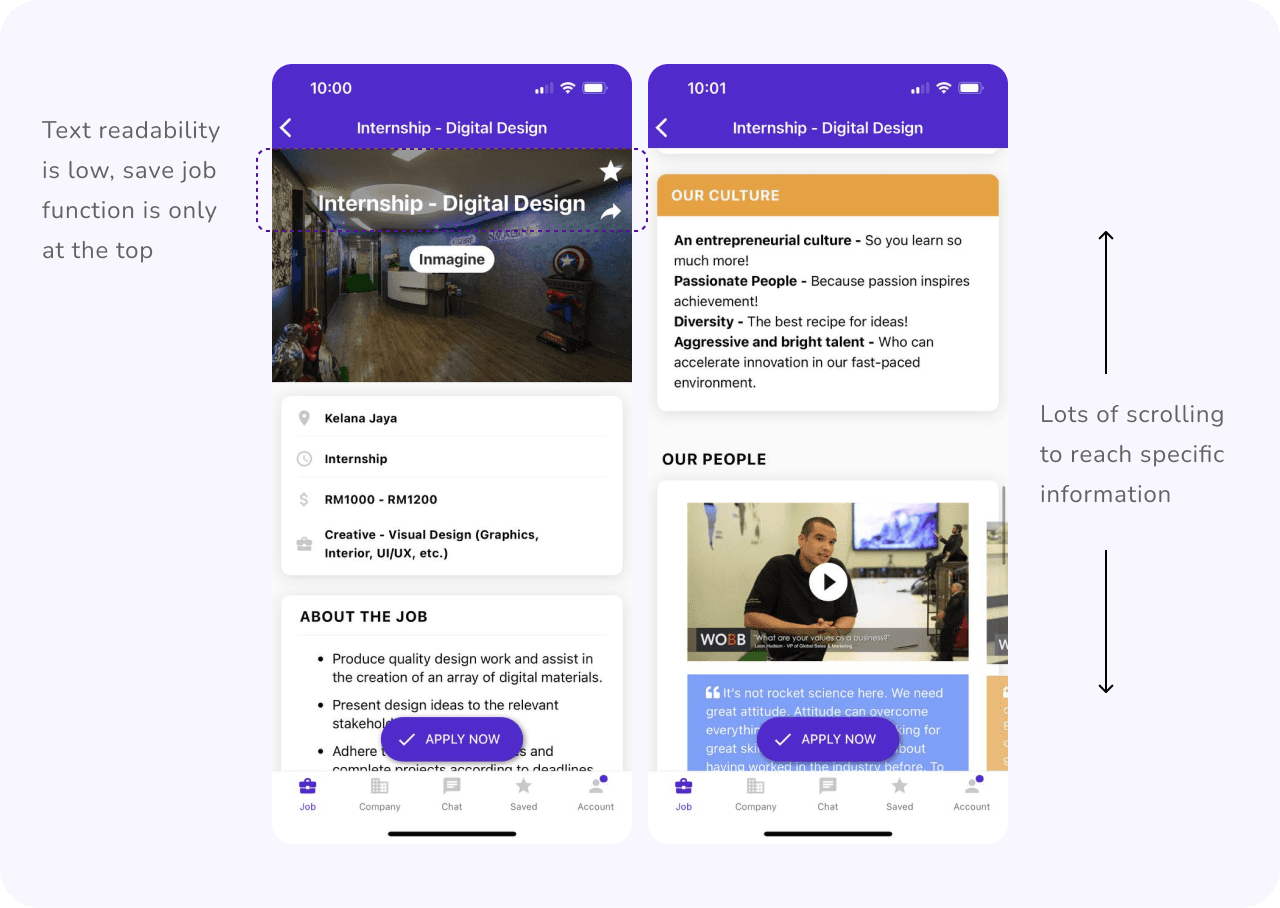
Ashley finally found a job she’s interested in. She reads through both the job and company details available in detail. She scrolls all the way down the extensive information, and up again, and down.... she’s unable to view between both information easily.

Response from User Survey 2022:

67% of our users find the company profile and media helpful when considering which job to apply to. How can I make this info more accessible?

Making the application

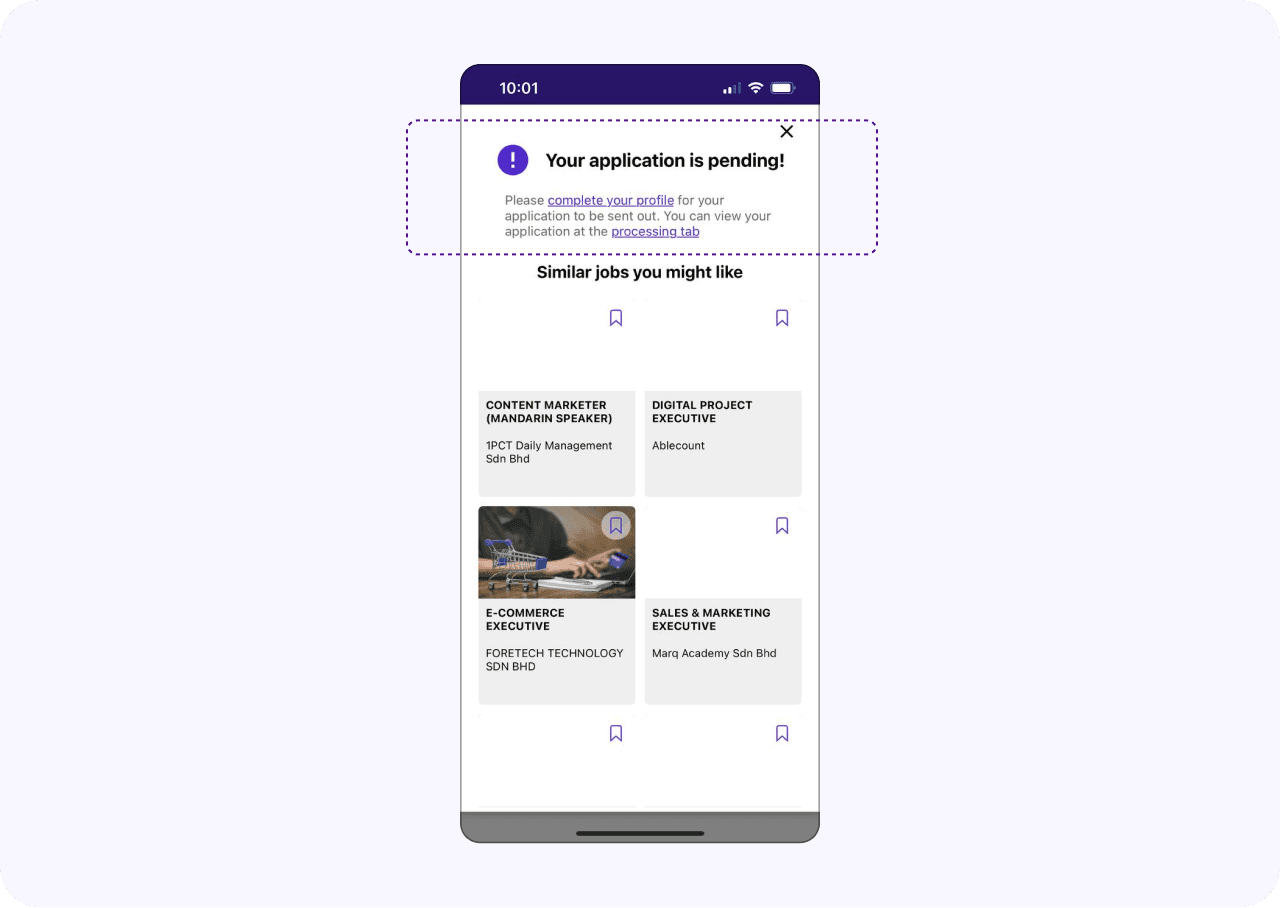
Ashley is now committed! She makes the application and she realised... its pending? She’s already completed her profile. The information was unclear, that a resume is also a requirement for a successful application!
How might we...

How might we...

Simplify Ashley’s job search process and reduce the time it takes to find relevant opportunities?

Simplify Ashley’s job search process and reduce the time it takes to find relevant opportunities?

The Brief

Redesigning the UIUX of the whole Hiredly mobile app, in return improves the job application process experience that caters to the younger generation.

Team

4 UI/UX Designers, 1 Project Manager, 2 Front-End Engineers, 1 Back-End Engineer.

Tools

Figma, Figjam, Lottiefiles, Lottielab

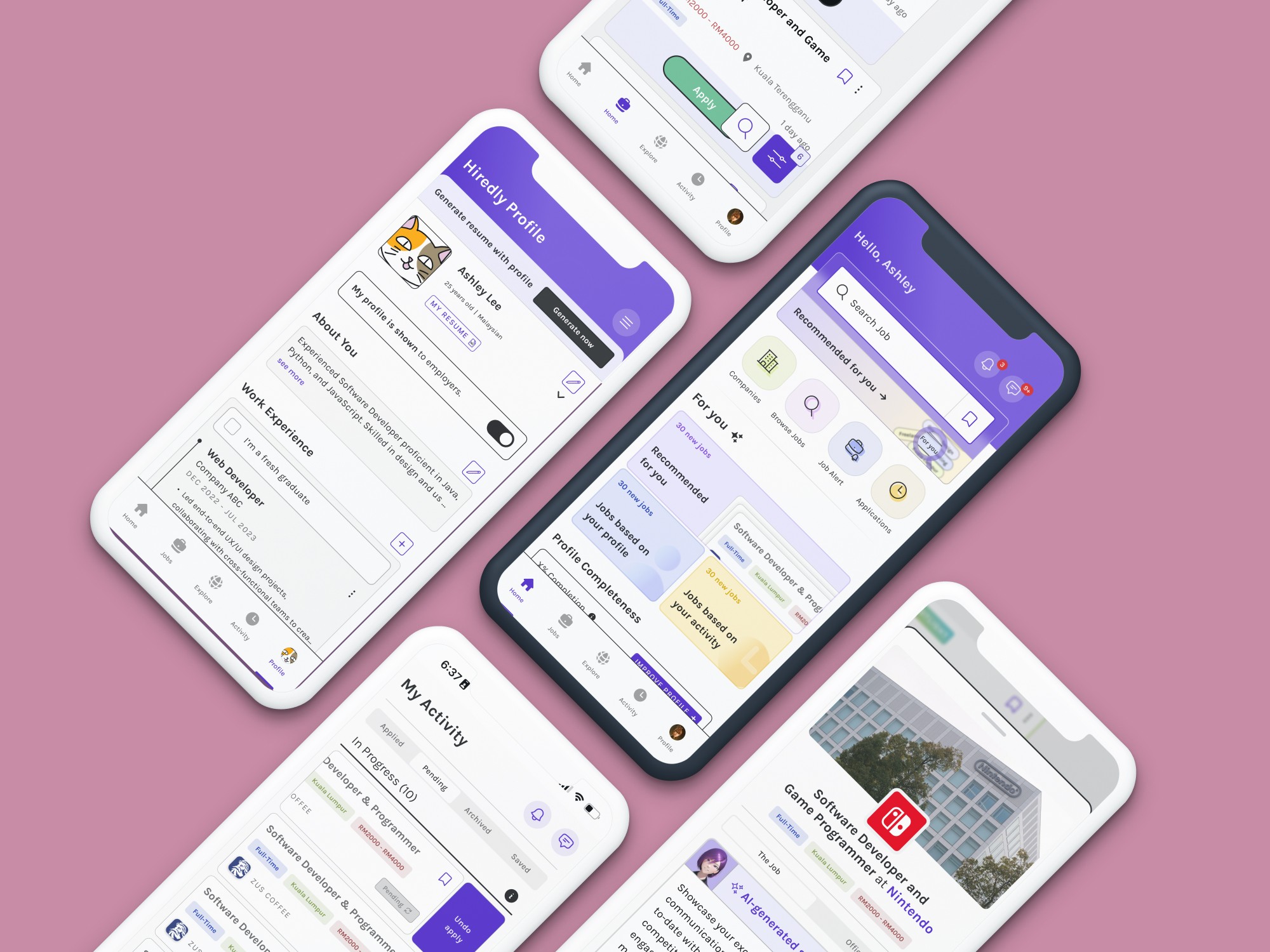
Sneak peak of the final designs!

Sneak peak of the final designs!

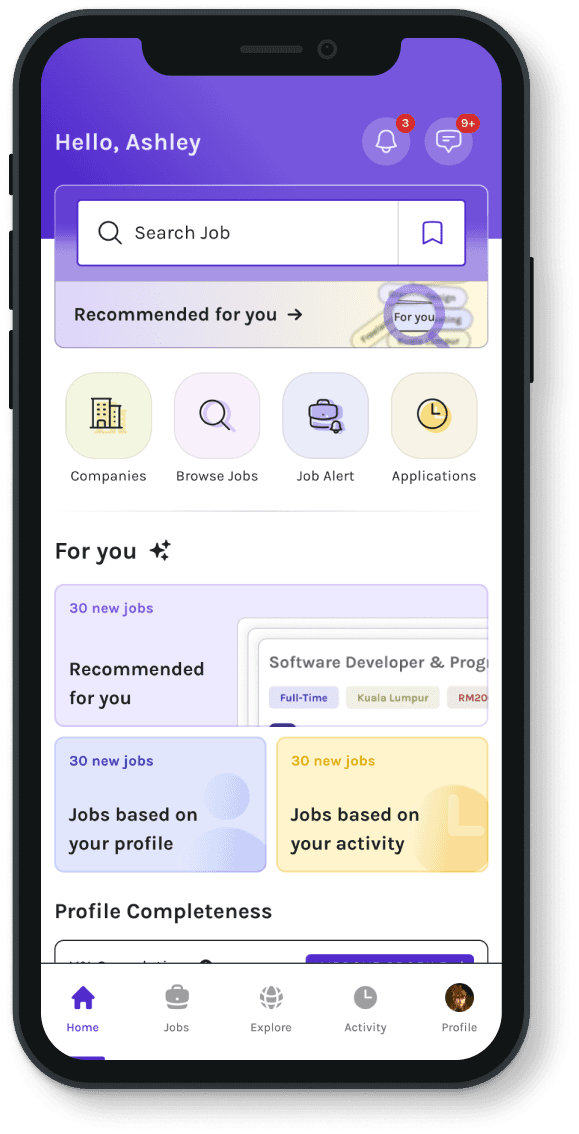
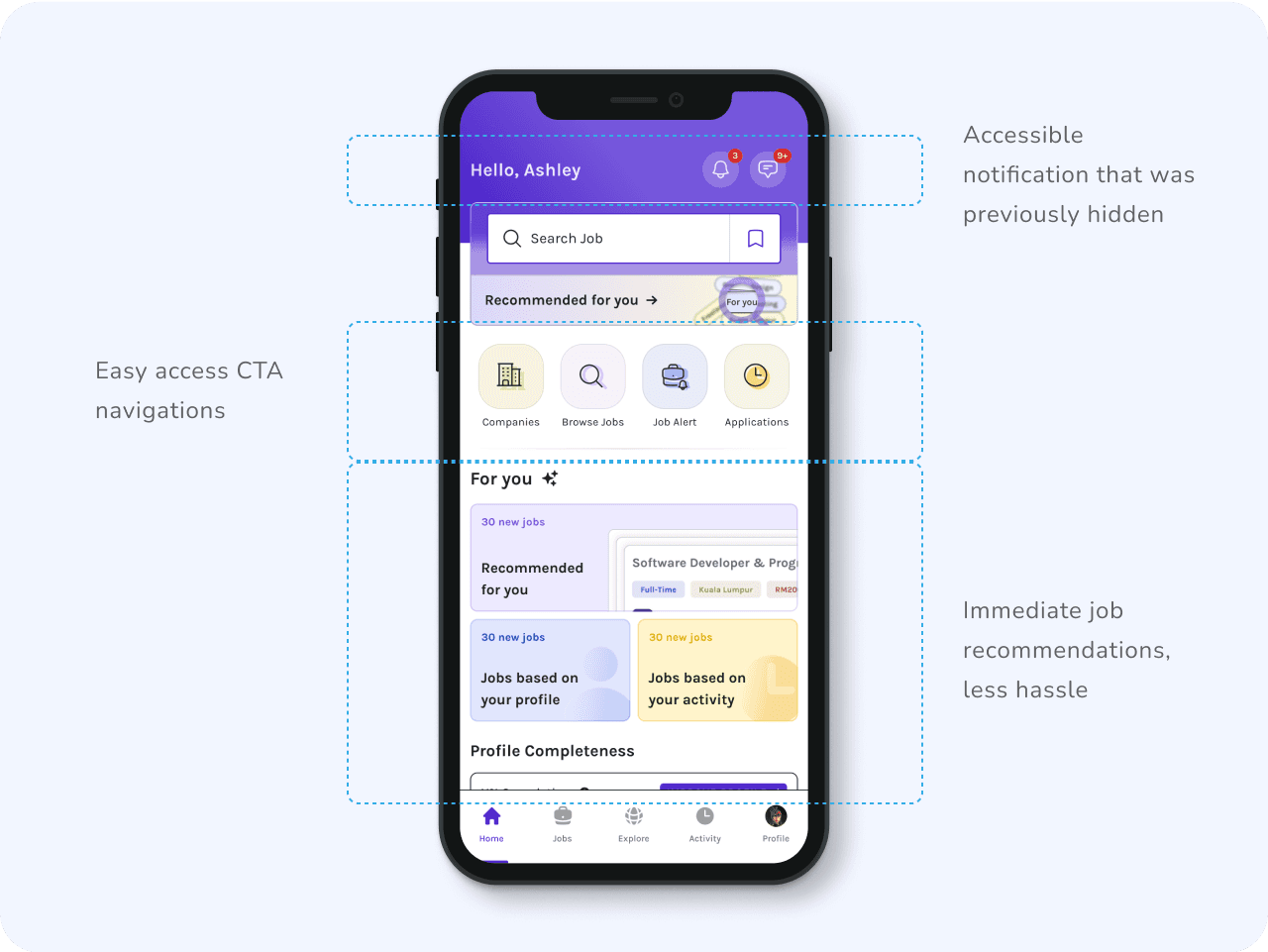
New ‘lobby’ homepage where users can access important information and pages easily.

New ‘lobby’ homepage where users can access important information and pages easily.

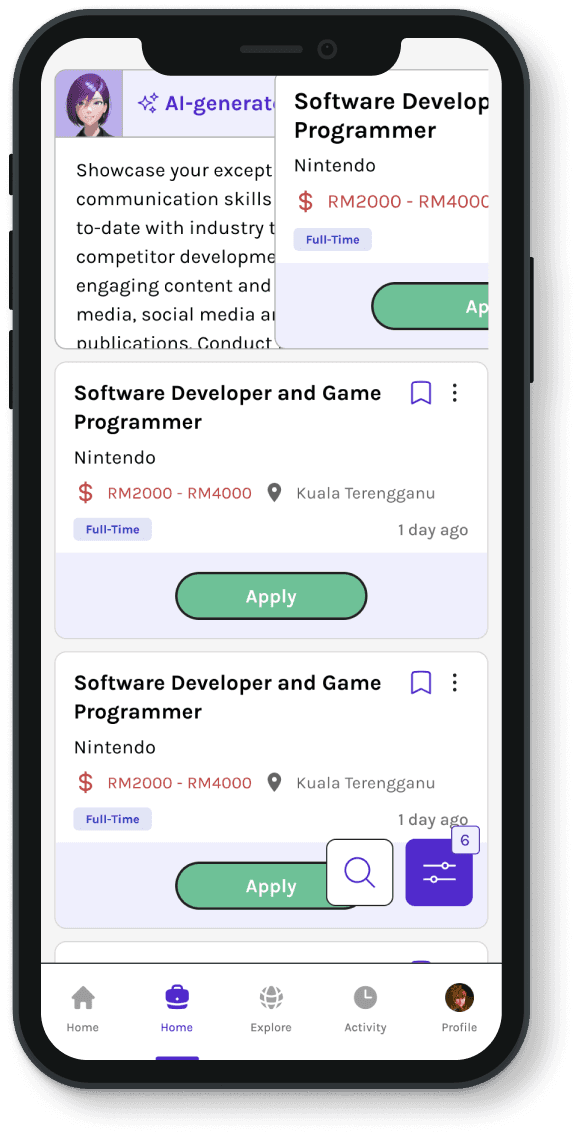
Job summary and company media accessible right from the job list page

Job summary and company media accessible right from the job list page

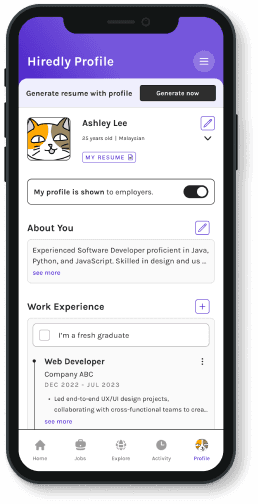
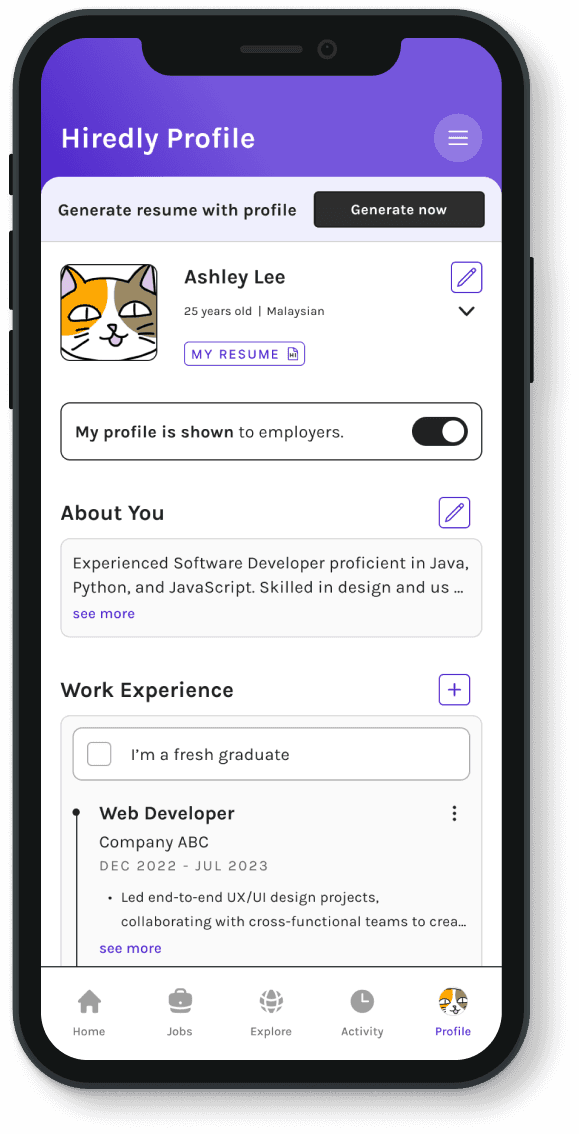
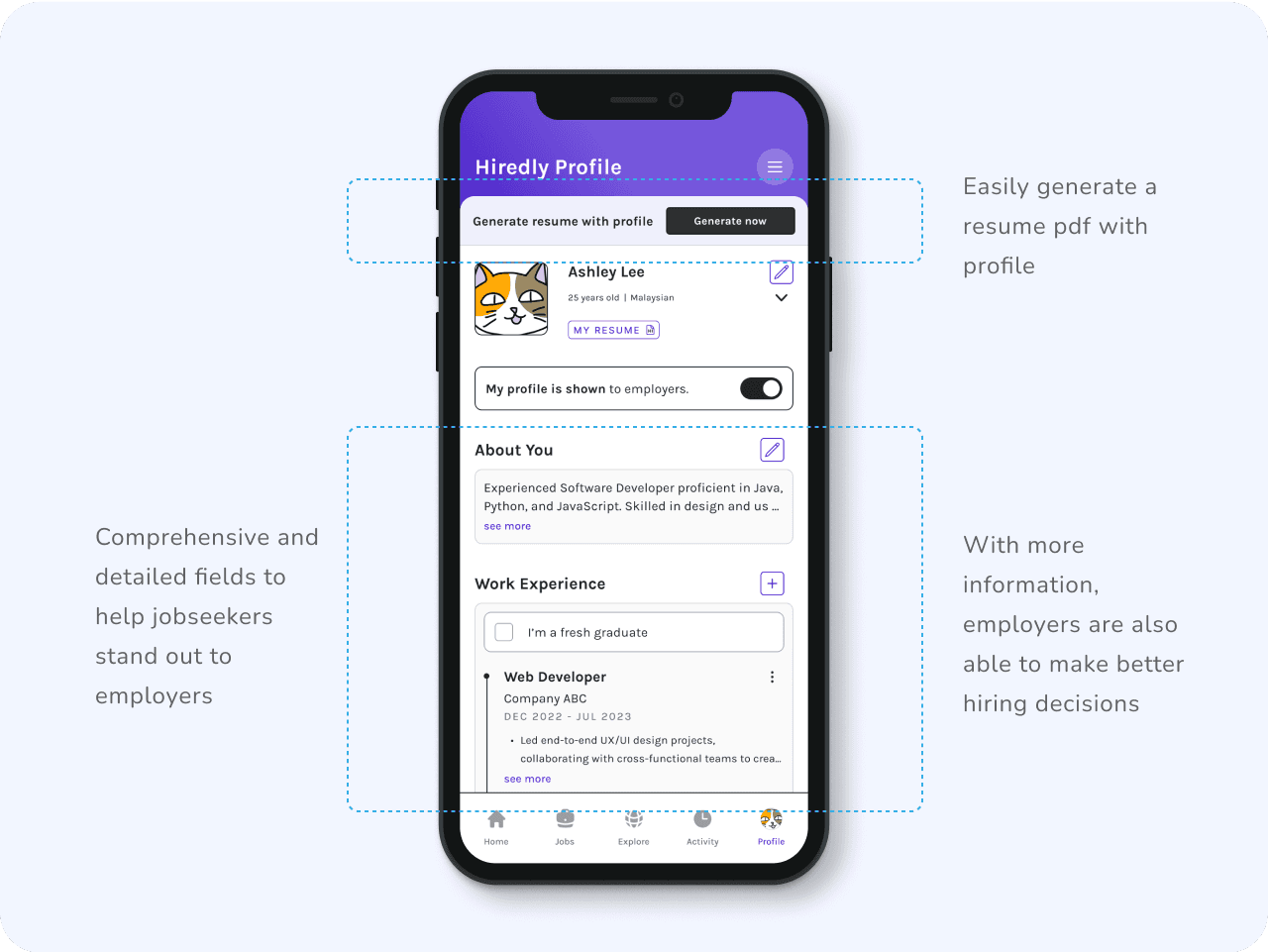
Detailed profile fields to help users stand out better, and create their resume.

Detailed profile fields to help users stand out better, and create their resume.

Key metrics

Key metrics

+19%

+19%

Average High Intent monthly active users

Average High Intent monthly active users

+40%

+40%

Job applications per user on the mobile app

Job applications per user on the mobile app

The Process

The Process

Discover

Discover

Together with marketing we sent out surveys to our jobseekers that frequents our mobile app, and received around 400+ responses.

Together with marketing we sent out surveys to our jobseekers that frequents our mobile app, and received around 400+ responses.

Survey Response Highlight:

Survey Response Highlight:

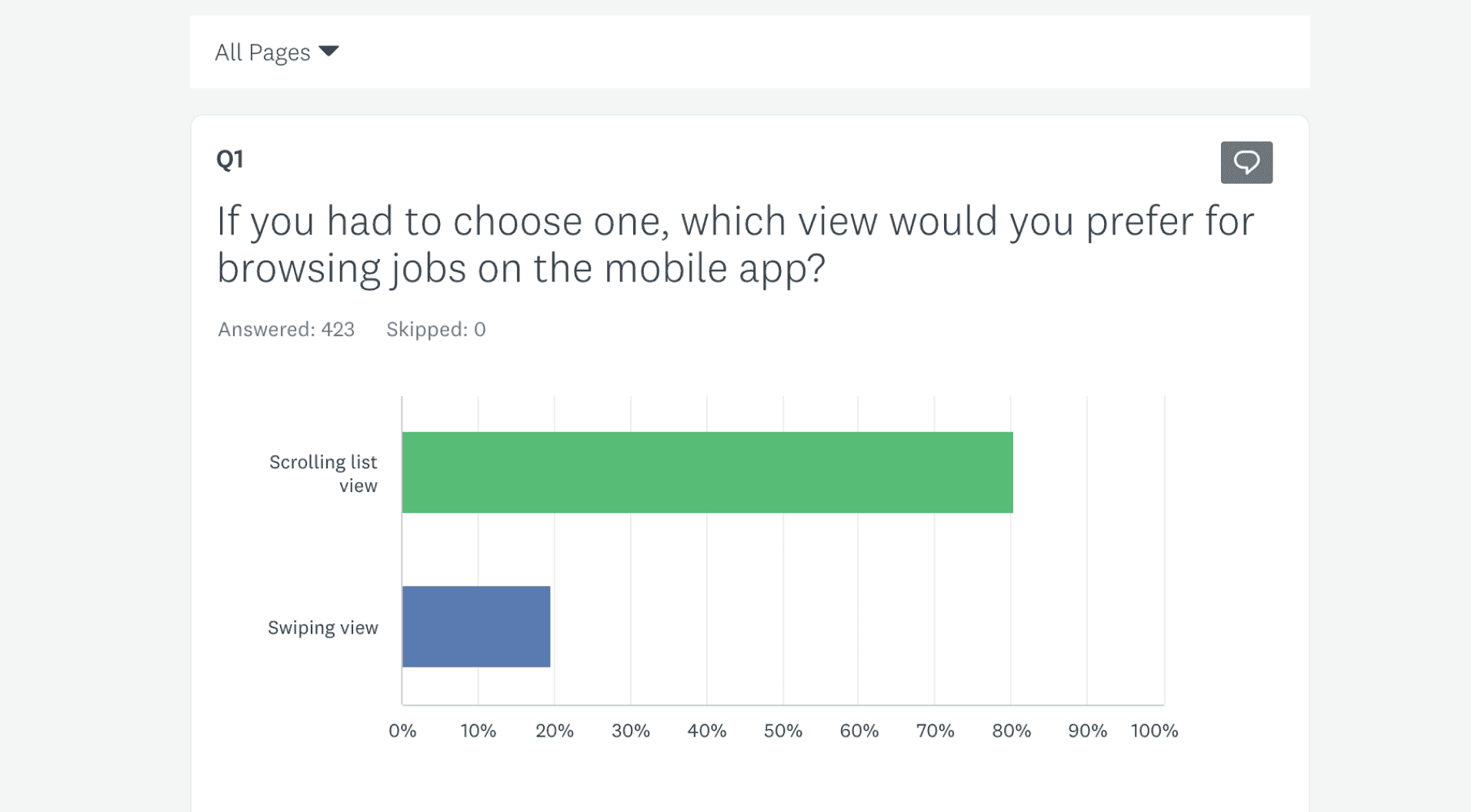
81% of users prefers the regular scroll list view over the swiping motion when looking for jobs.

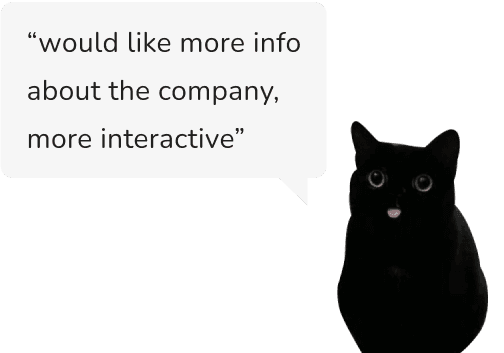
67% of our users selected company profile and environment as the most helpful feature.

User are not aware of certain features that we already have. eg: undo application, notifications, certain filters etc.
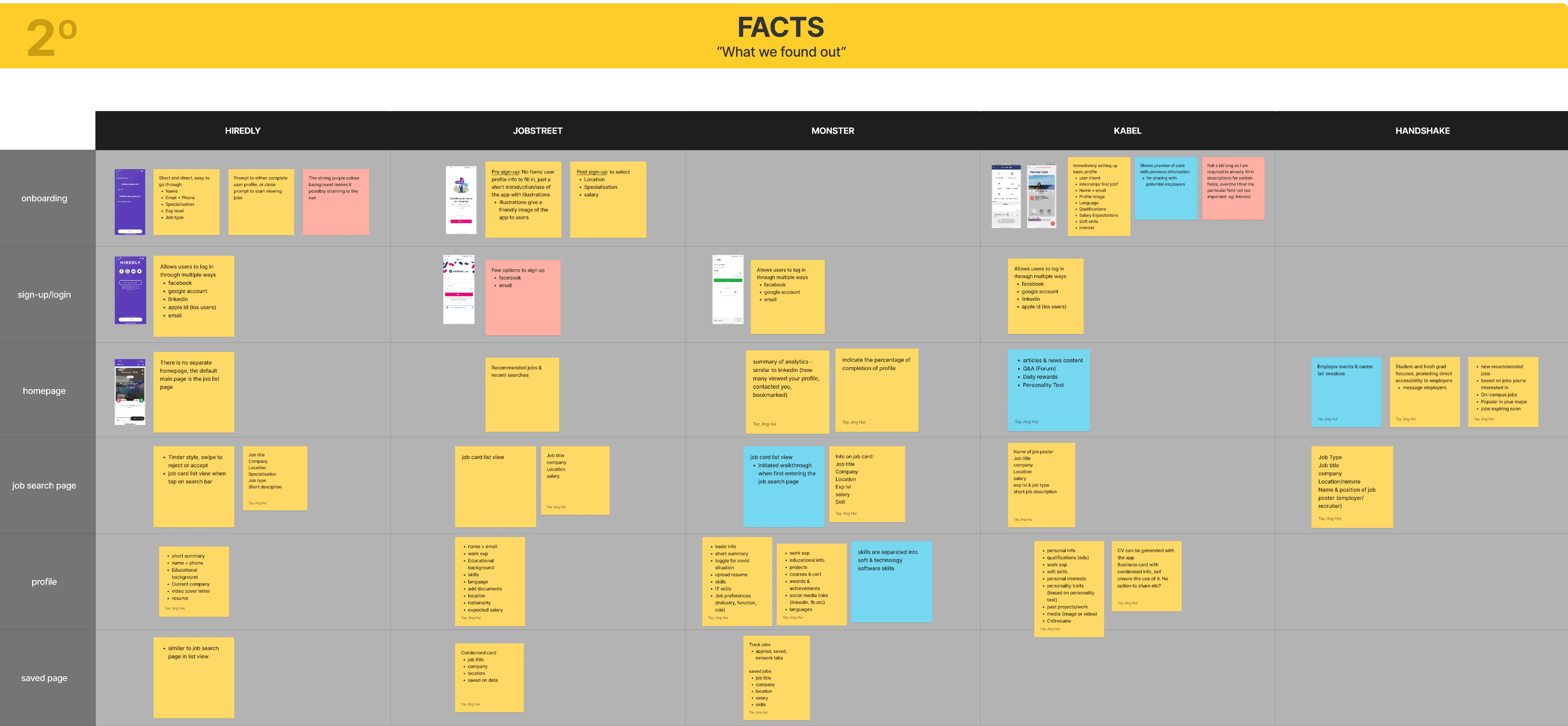
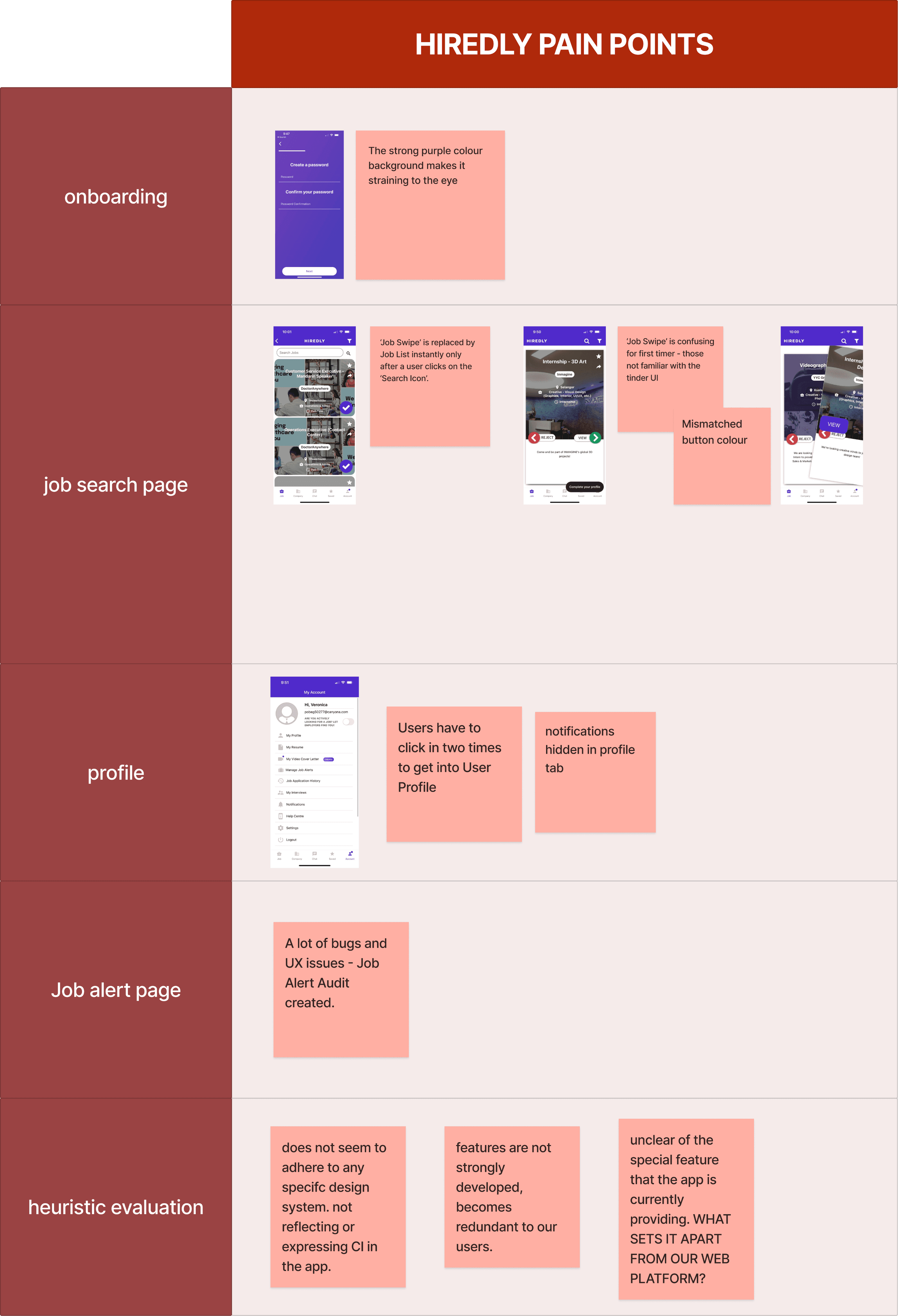
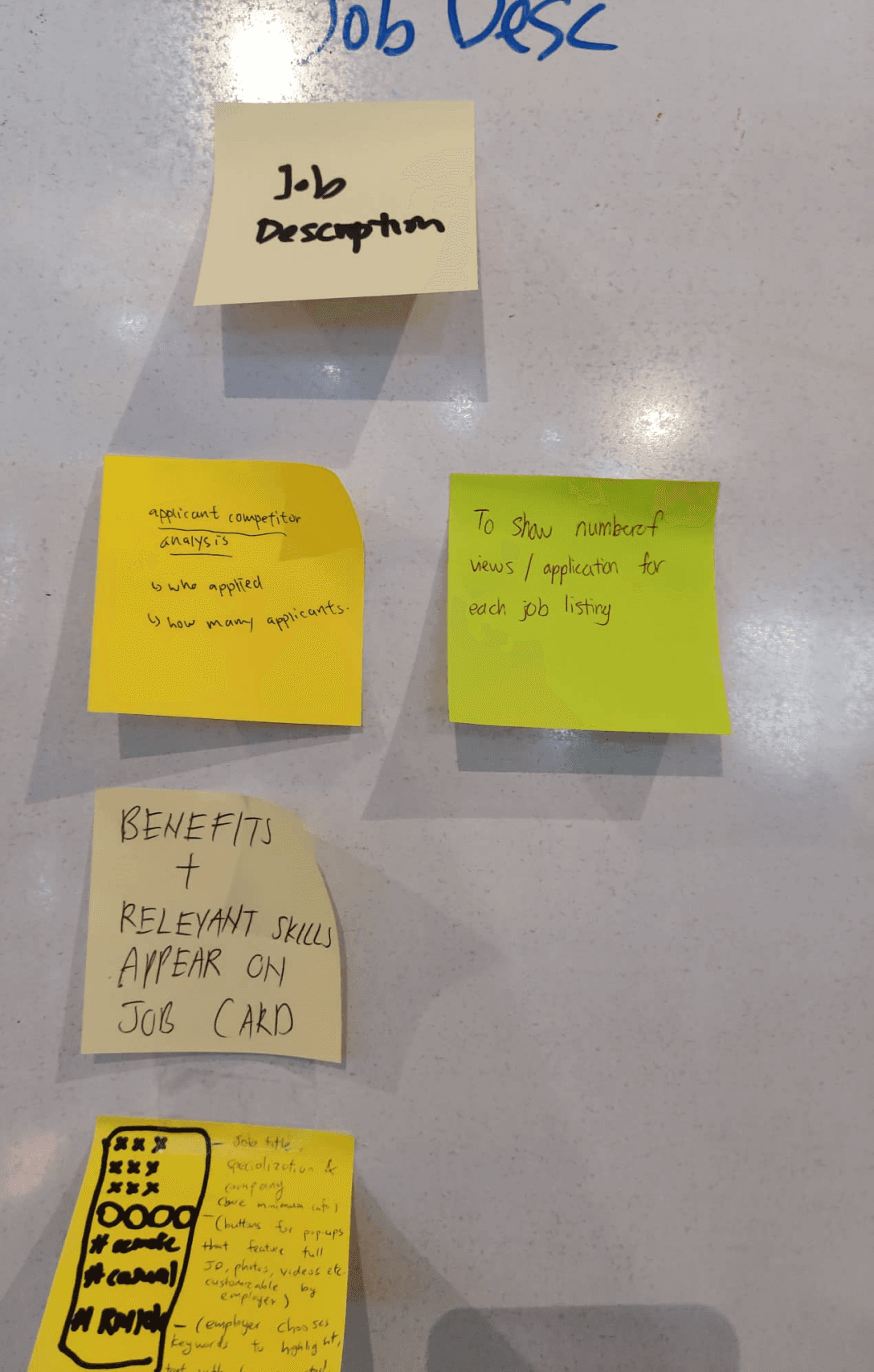
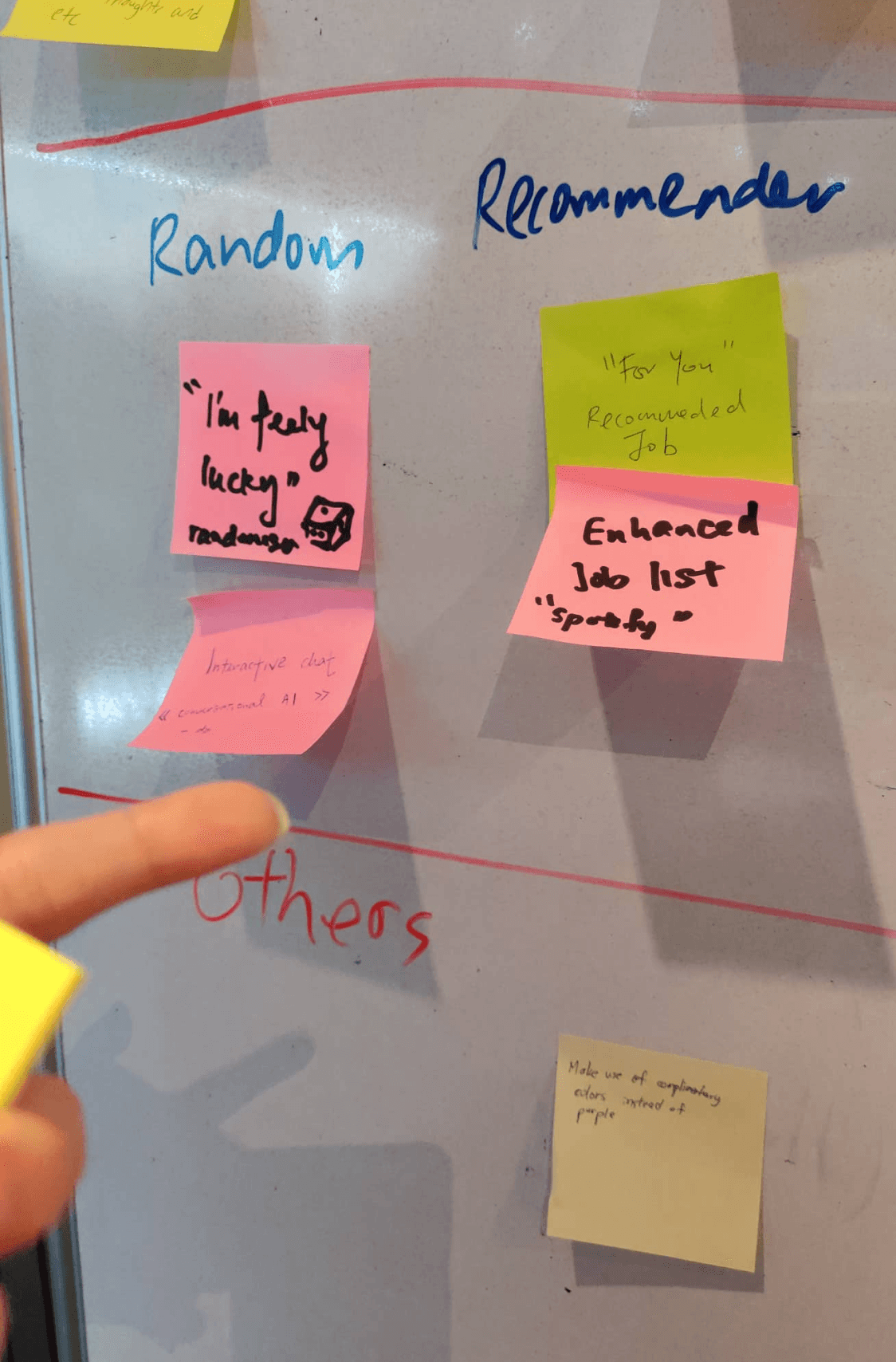
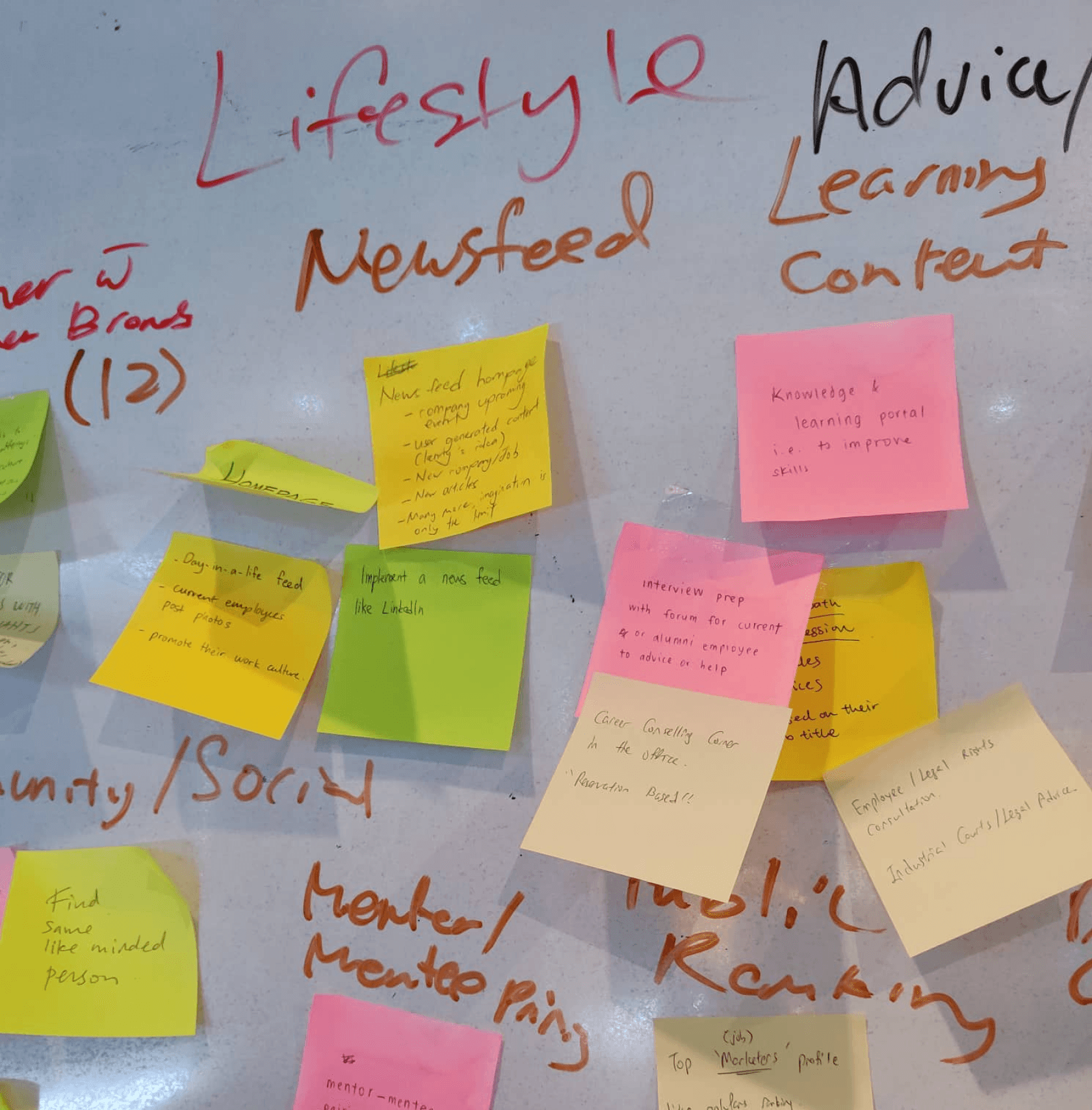
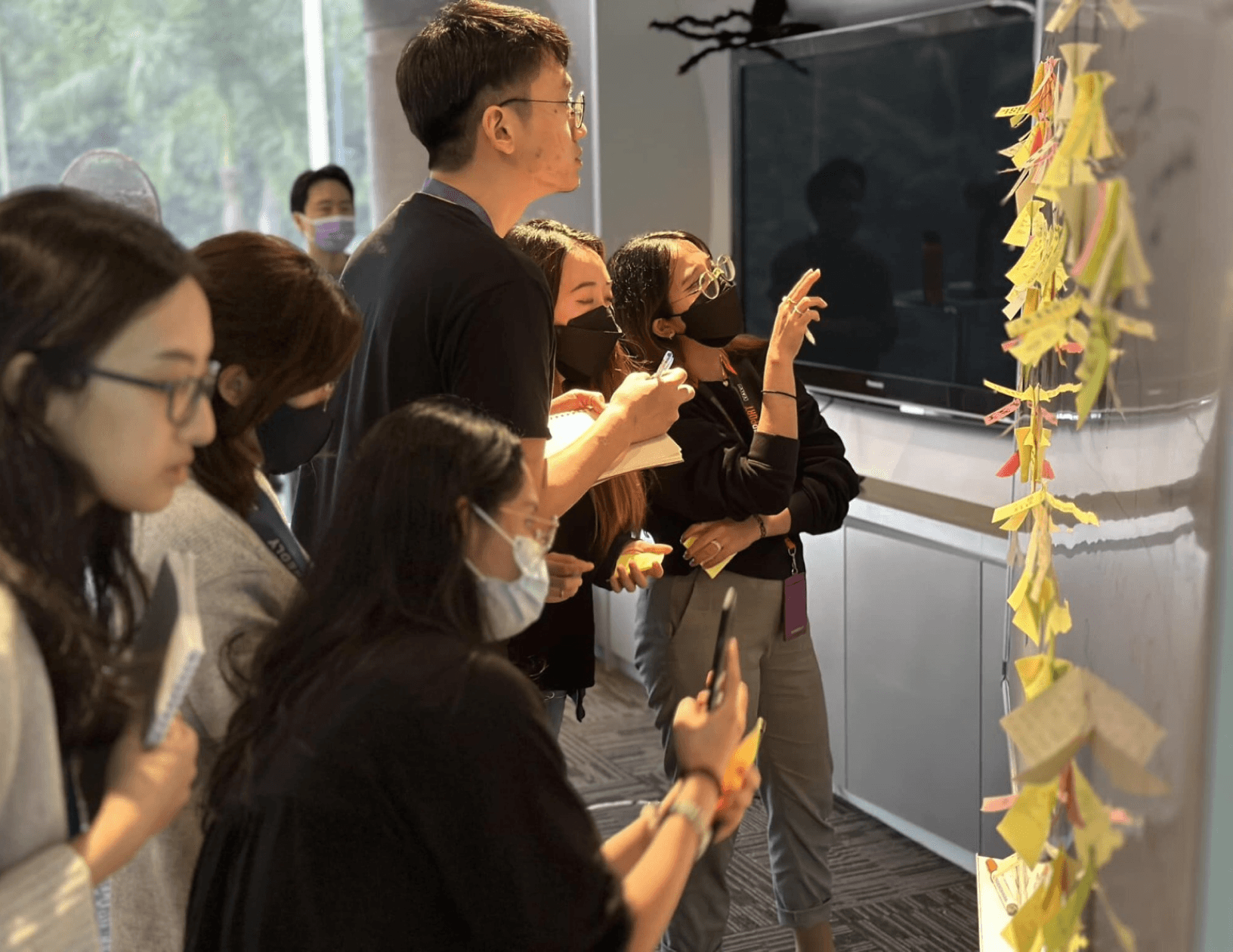
I was also then involved in auditing our old mobile app and how are our competitors are doing better at. We then laid everything out on Figjam and extracted the potential pain points that users go through while using the app.

I was also then involved in auditing our old mobile app and how are our competitors are doing better at. We then laid everything out on Figjam and extracted the potential pain points that users go through while using the app.

Key insights

Key insights

Visuals Attract

Users are drawn to visuals. How can we help employers stand out through branding and culture?

Simple Does Work

Sometimes we don’t need to reinvent the wheel. Making sure that the features are intuitive and easy to use are even more essential.

Navigation

There are interesting features in the old app that is useful to the jobseeker, but are hidden or difficult to access. How do we bring those forward?
Design

Design

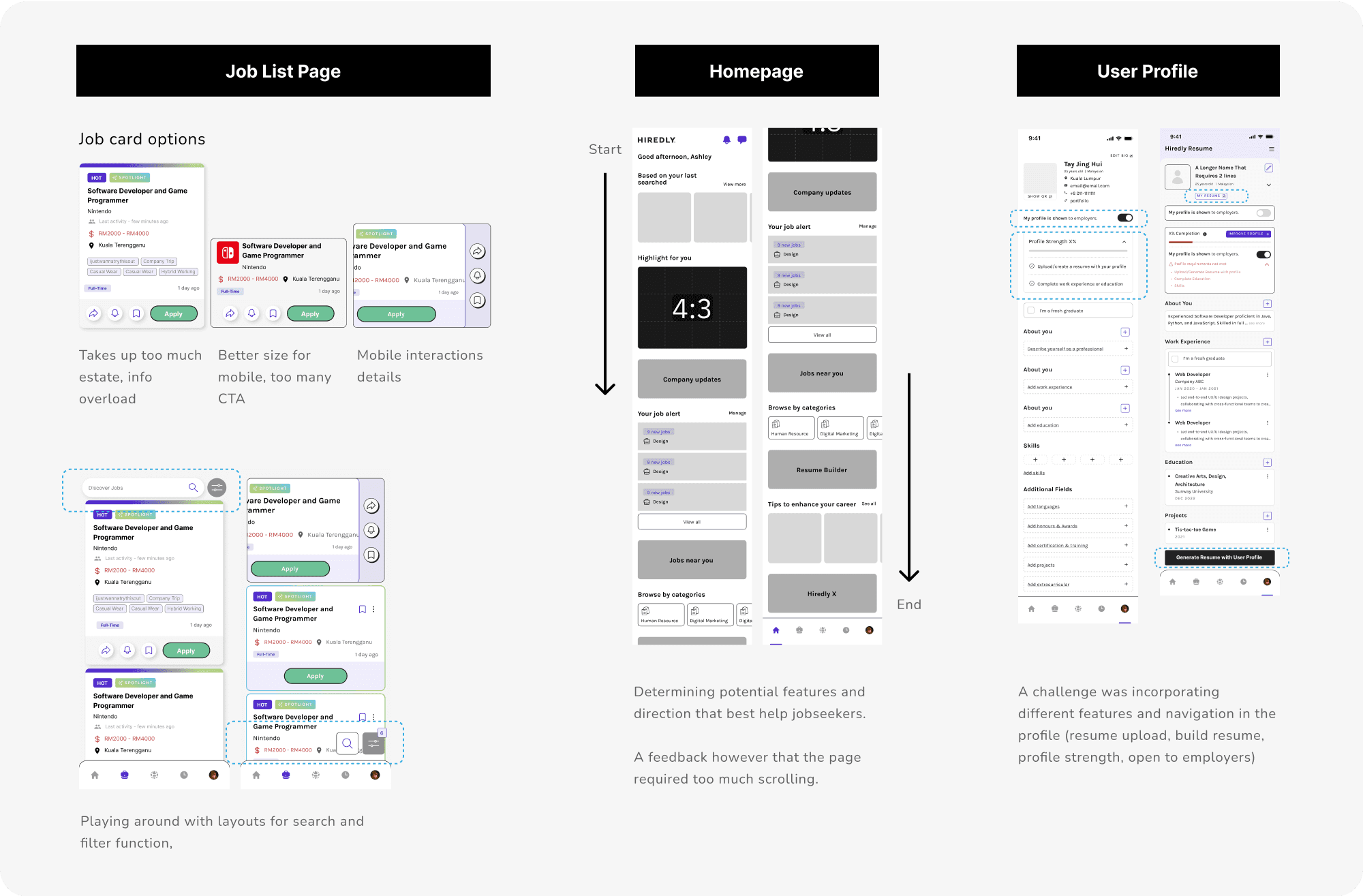
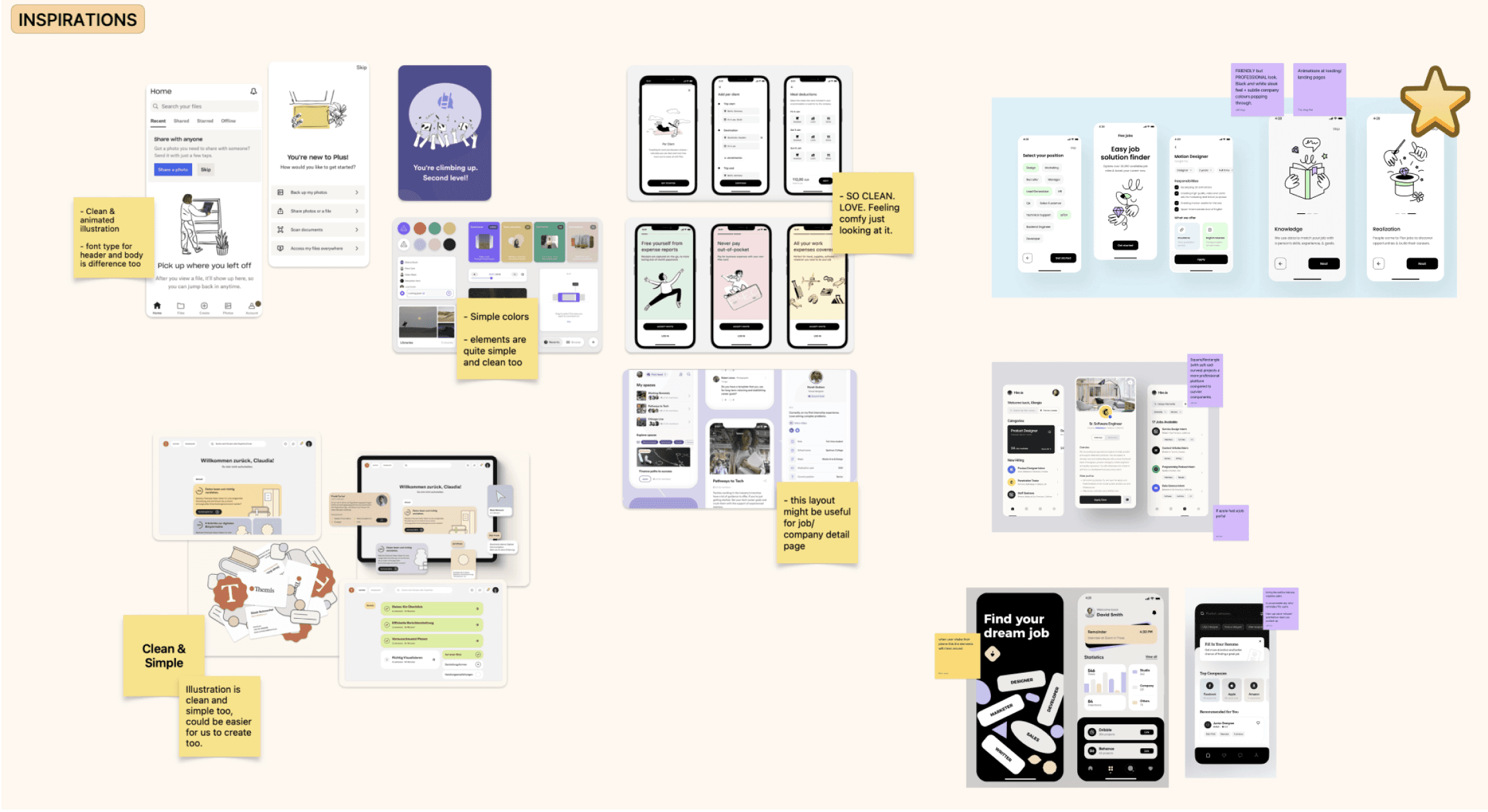
Drawing from our research and key insights, we began our app design brainstorming, looking through inspirations online. We then started sketching out our ideas

Drawing from our research and key insights, we began our app design brainstorming, looking through inspirations online. We then started sketching out our ideas

Design Goal:

Design Goal:

To ensure users get support and a good experience even before and after making applications.

To ensure users get support and a good experience even before and after making applications.

Solution Features Summary

Solution Features Summary

Supporting our users journey before, during, and after applications.

Supporting our users journey before, during, and after applications.

Before applications

Important information a tap away

A new homepage was introduced as a ‘lobby’ for users to easily view a summary of relevant job matches based on their profile and activity, as well as easy access to multiple highlighted pages on the app.

Before applications

No Resume, No Worries!

Main demographics of the app is fresh grads to mid-level job seekers, who require more support in creating their resumes. Users can now fill in their information and easily generate a downloadable pdf for applications.
Making applications

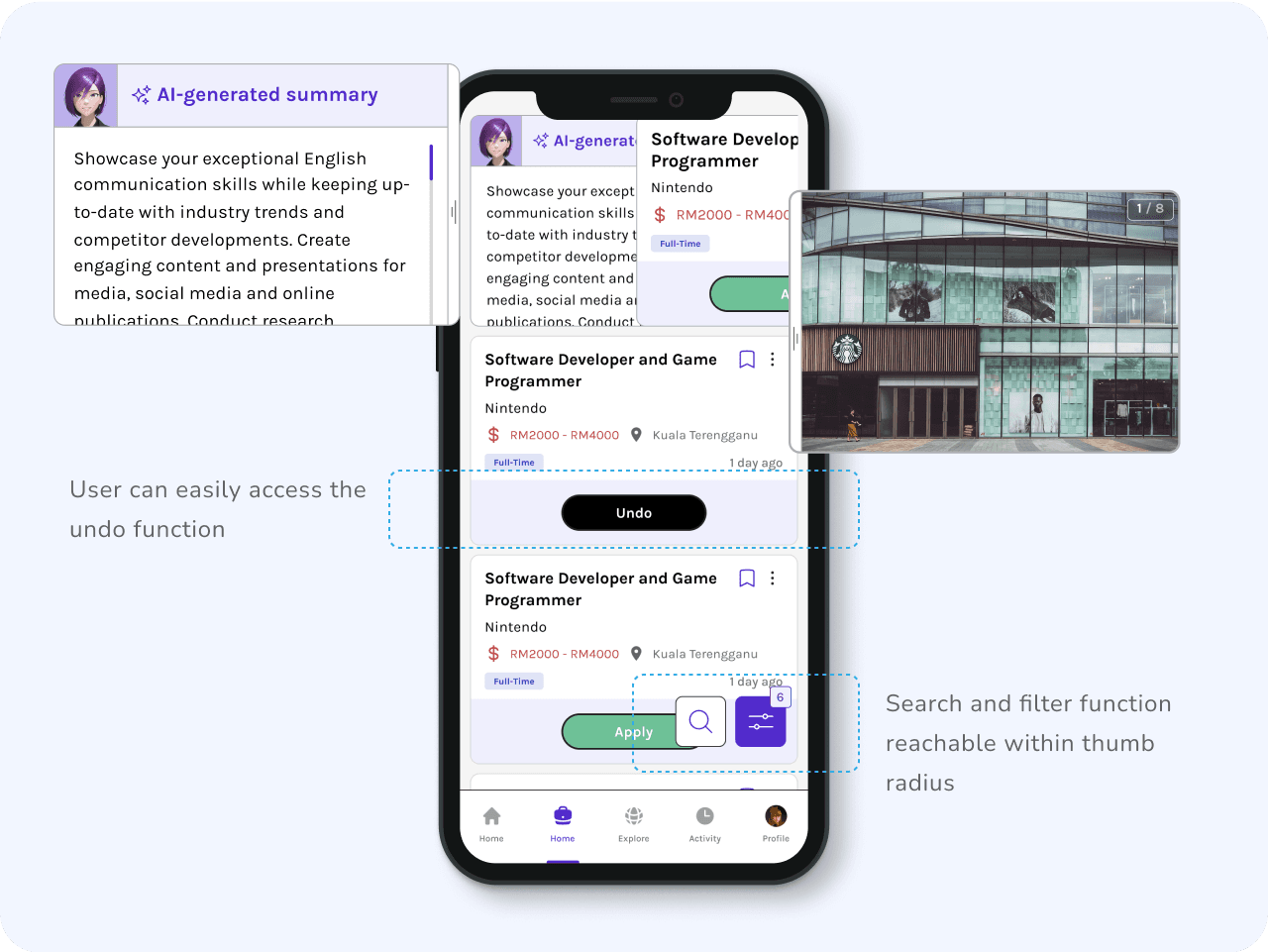
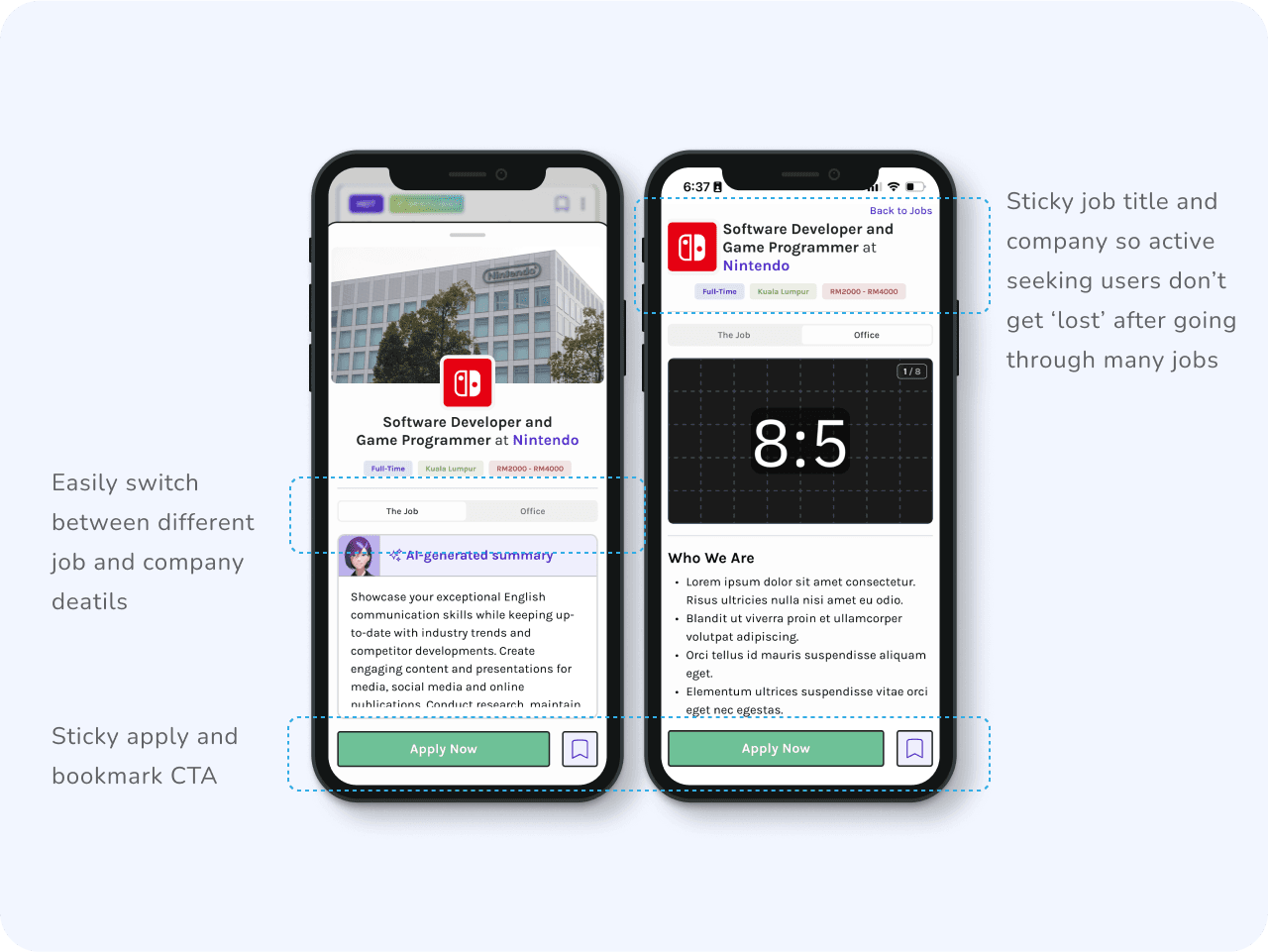
Beyond the Job Title

Helping users to quickly understand the job beyond the title through short summaries and highlighting the company’s branding and culture through media,


functions such as undo and search + filter are also more easily accessed.

Making applications

Digestible Information

Users can now easily go back and forth between job and company details through the sticky tabs. Keeping the information in each scroll more relevant and straightforward.
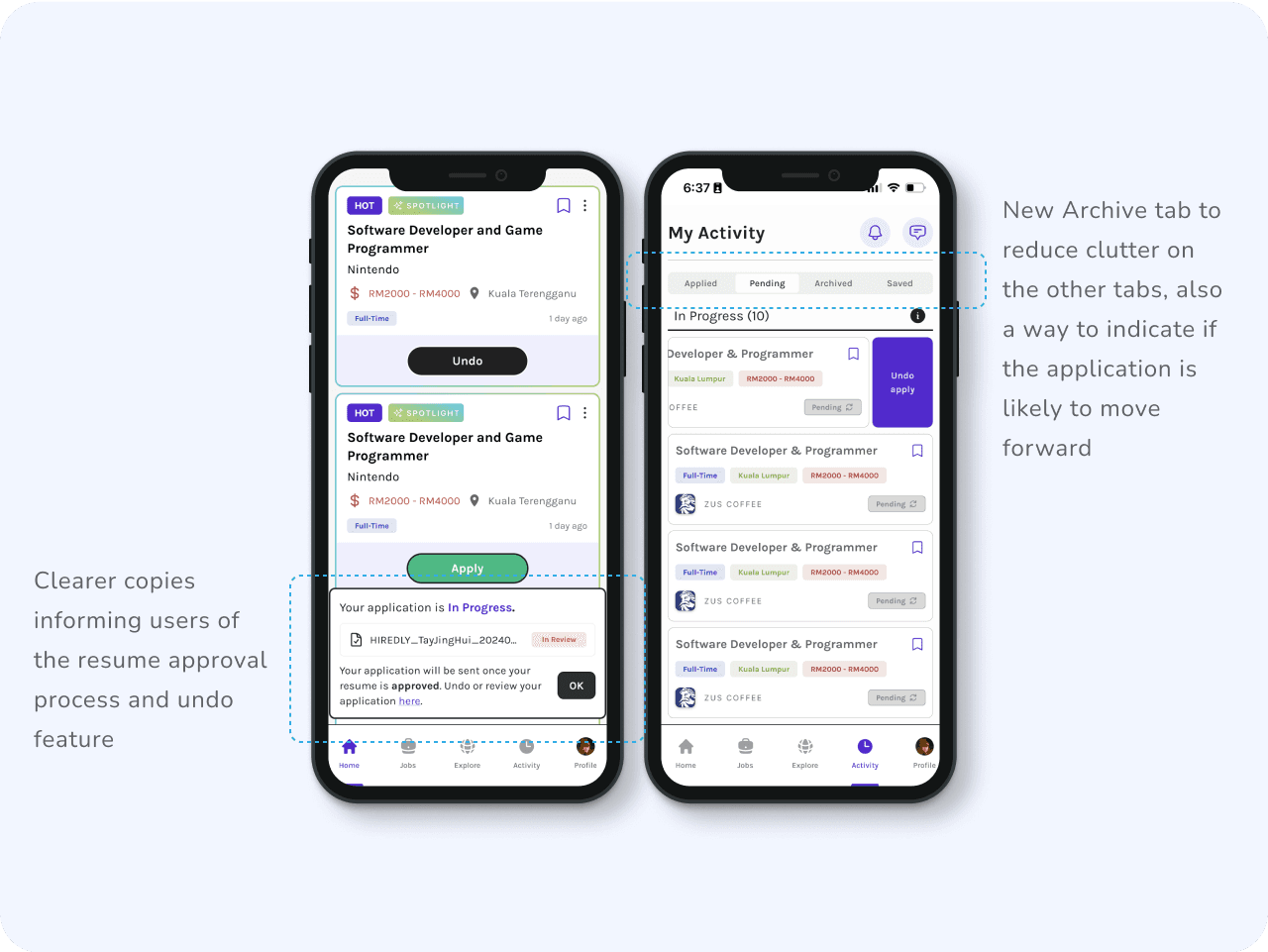
After applications

Easy Updates

All user activity such as application status and saved jobs/companies are categorised in the same page. User can also easily undo an application in the event they changed their mind.

Other Fun Items I’ve Created for the App:

Lottiefiles + Figma prototyping

Lottielab + Figma

Reflections

Reflections

What I’ve learned

What I’ve learned

  • Feedback from surveys highlighted the importance of intuitive navigation and visual appeal, and by simplifying the user journey user engagement has improved.


  • While designing, it was important to constantly communicate with the developers in charge, as they also could come up with ideas on how users could interact with the app, through the swiping motion, as they're building.


  • For future considerations and exploration, we could look outside the base function, and enhance personalisation features. Such as a smarter job recommendation section, perhaps better and more transparent application status (how to balance jobseekers want and employers reluctance to show such status) etc.


  • More metrics other than job application rate can also be monitored to determine the user satisfaction and ease of use, such as profile completion rate, time taken from sign up to first application etc. This is definitely something to further explore with the Product Managers and the Data team.

  • Feedback from surveys highlighted the importance of intuitive navigation and visual appeal, and by simplifying the user journey user engagement has improved.


  • While designing, it was important to constantly communicate with the developers in charge, as they also could come up with ideas on how users could interact with the app, through the swiping motion, as they're building.


  • For future considerations and exploration, we could look outside the base function, and enhance personalisation features. Such as a smarter job recommendation section, perhaps better and more transparent application status (how to balance jobseekers want and employers reluctance to show such status) etc.


  • More metrics other than job application rate can also be monitored to determine the user satisfaction and ease of use, such as profile completion rate, time taken from sign up to first application etc. This is definitely something to further explore with the Product Managers and the Data team.

Made with tea and tears.

©2024 Portfolio by Tay Jing Hui

Made with tea and tears.

©2024 Portfolio by Tay Jing Hui

Create a free website with Framer, the website builder loved by startups, designers and agencies.